For hospitality in Spain

Restaurant POS. Your whole service, connected.

Run the floor, kitchen, orders and bookings from one system. No mandatory hardware.

No card · No lock-in · Sign up in 2 minutes

Meet Mesero in 45 s
Mesero at the centre, connected to six modules: POS, QR ordering, Kitchen, Bookings, Delivery and Inventory.
Take payment at the table, bar or counter from the tablet, laptop or PC you already have. Guests order and pay from the table on their phone, with no app to install. Every ticket appears on the kitchen display as soon as the floor sends it. Bookings from your website and Google, with a waitlist and the floor kept up to date. Pickup or delivery orders through your own channel, with no Mesero commission. Every sale deducts stock; you see food cost and low-stock alerts.
Our story

We come from hospitality.

We have spent years working in restaurants, living every service from the inside. We wanted a POS that fitted the way we work and, when we could not find one, we built it: that is how Mesero began.

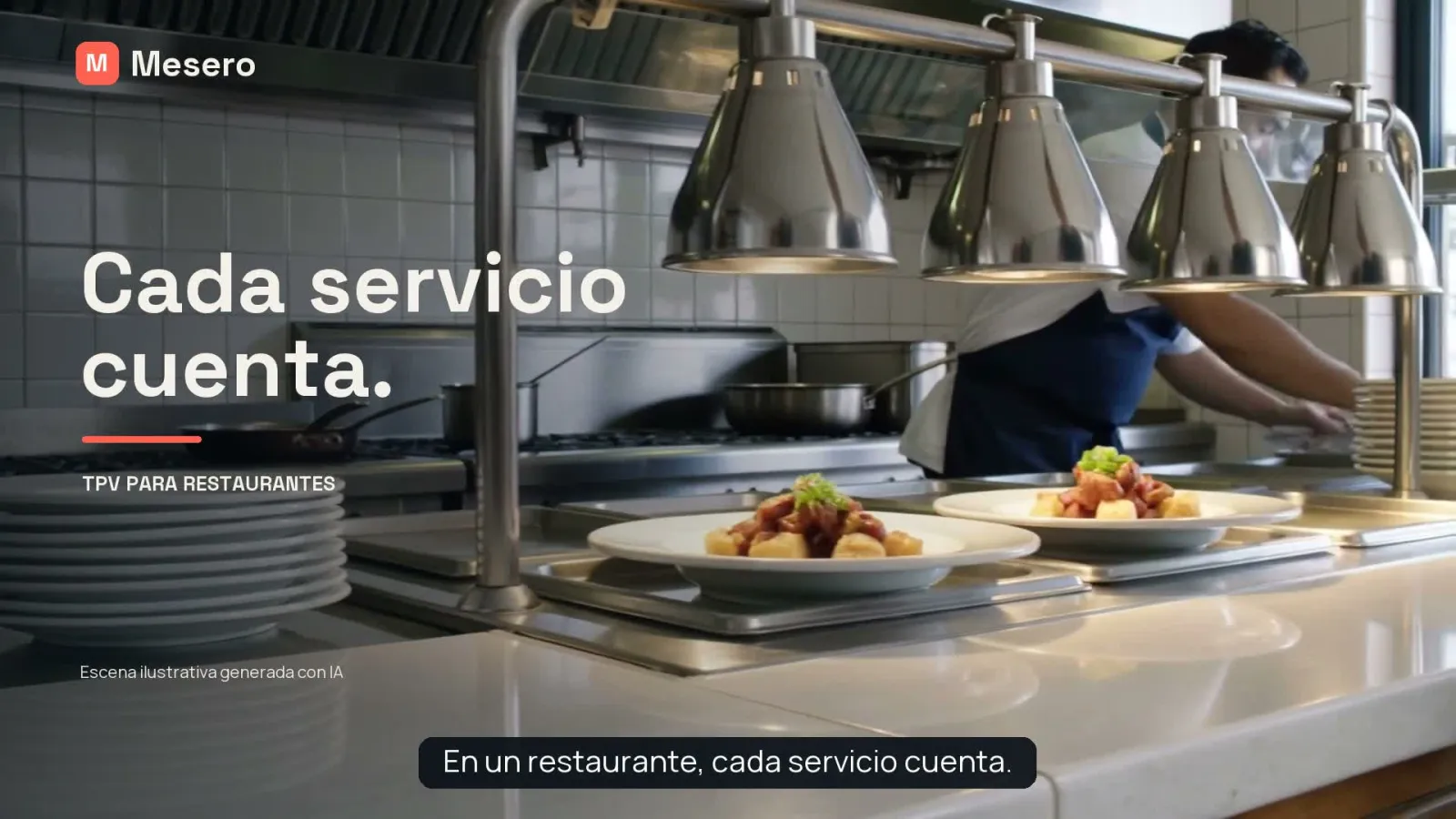
A restaurant kitchen pass with two plates ready. Illustrative scene generated with AI.
Read the transcript in English

In a restaurant, every service counts. We know because we have spent years living it from the inside. The floor, the kitchen, the orders… and everything that happens in between. We were looking for a POS that fitted the way we work. Mesero was born from that experience. A place to manage your tables, take orders and keep the floor and the kitchen connected. Because technology should help you give more attention to your team and your guests. Mesero. Created from experience in restaurants. See how it works and start your free trial.

Our experience includes running 3F Greens, in Alicante.

Try 90 days free Read our story (in Spanish)
Floor and payments

Open a table, send orders and take payment without switching screens.

Floor, bar, terrace and takeaway in one POS, on the tablet, laptop or PC you already have.

  • Every table shows its time and its total at a glance.
  • Your team sees what has gone to the kitchen and what has not.
  • Split the bill and take cash or your bank’s card terminal.
Detail of a real Mesero screen (Spanish interface), with demo data.
The app for your staff

Take orders at the table. Send them straight to the kitchen.

Mesero Comandas is your waiting staff’s app: they pick the table, add the dishes and send them to the kitchen without going back to the bar. It is not QR ordering, which is for your guests.

  • Tables, bills and what has gone to the kitchen are the same in the app and the POS.
  • The kitchen gets it on its display or its printer, just as from the POS.
  • On each waiter’s iPhone or Android, with their own PIN.

Included in every plan; on Barra, for one user.

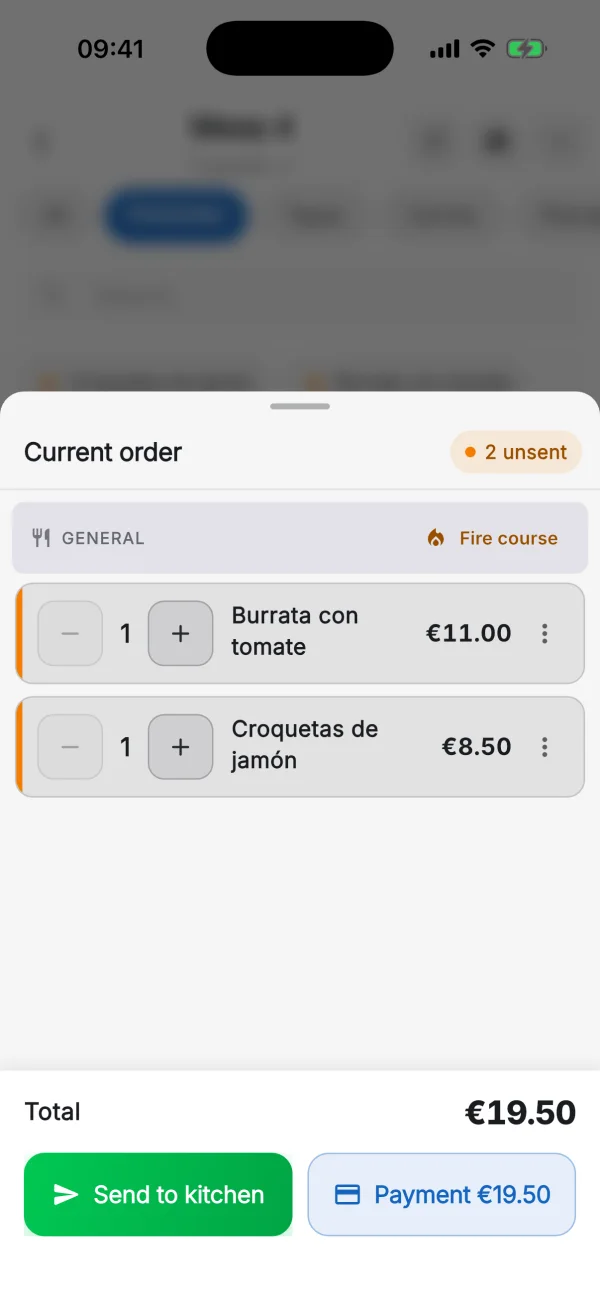
The Mesero Comandas app on an iPhone (English interface, Spanish menu): the current order for table 4, with ham croquettes and burrata not yet sent, €19.50, and the Send to kitchen and Payment buttons.
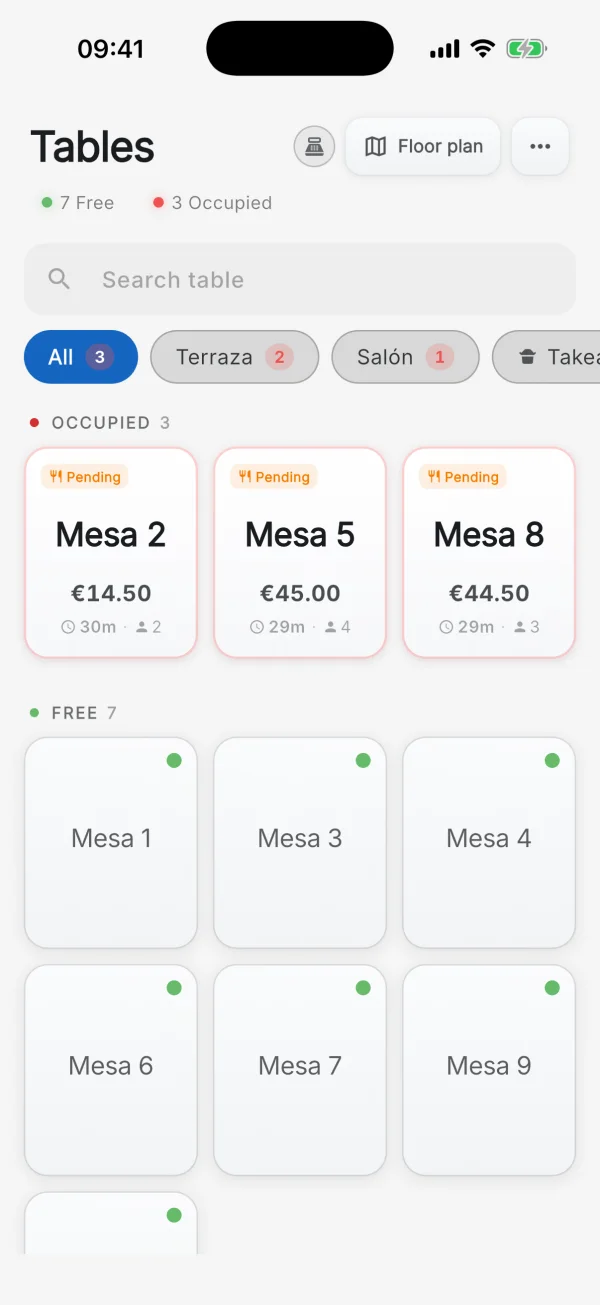
The Mesero Comandas app on an iPhone (English interface): the tables, with 2, 5 and 8 occupied showing their total and time, and seven free tables.
Real screens from the Mesero Comandas app (English interface), with demo data.
Kitchen

The kitchen gets every ticket the moment the floor sends it.

The kitchen display replaces paper: dishes arrive by table and in order, split into Kitchen, Bar and Expo.

  • The kitchen marks each dish as in progress or ready.
  • If the floor voids a dish, the kitchen sees it marked as void.
  • A screen in the kitchen, a printer at the bar, or both.
Detail of a real Mesero screen (Spanish interface), with demo data.
QR and online ordering

Guests order from the table. And from home.

With the table’s QR code, guests see the menu, order and pay from their phone without installing anything. The order reaches the POS and the kitchen like any other.

  • Fewer trips to the table at peak times.
  • Pickup or delivery orders through your own channel (Pro plan).
  • No Mesero commission per order; the payment gateway charges its own.
A real Mesero screen (Spanish menu), with demo data.
Cash

Close the till knowing why it balances.

Count notes and coins, check each card terminal and Bizum separately, and leave a note if something does not match.

  • The expected totals are worked out for you: sales, tips and the shift’s cash movements.
  • Card tips are included in each terminal’s expected total.
  • A manager PIN for every void.
Detail of a real Mesero screen (Spanish interface), with demo data.
Getting started

Getting started is simple.

  1. Create your account

    With your email and your venue’s name. No card and nothing to install.

  2. Upload your menu

    From a photo or a PDF: AI imports it and you check the prices. Or start from a demo menu.

  3. Start selling

    Open the POS on your tablet or PC, send to the kitchen and take payment from the first service.

Pricing

From €19 a month. No lock-in.

Try every feature for 90 days, then choose the plan that fits your venue.

Save up to 25%

Barra

For solo-operator bars and cafés: just what you need to sell, take payment and stay compliant.

€19/mo
Start free
  • 1 POS terminal and 1 user
  • Floor, bar, counter or takeaway
  • QR ordering at the table
  • Receipts, printing and VeriFactu
  • Apps: Mesero Admin and Comandas (1 user)

Starter

For smaller restaurants that want a cleaner operation without extra complexity.

€39/mo
Start free
  • 1 POS terminal and 5 staff users
  • Tables and QR ordering, plus 1 KDS screen
  • Apps: Mesero Admin and Mesero Fichar
  • Mesero Comandas based on terminals and users
  • VeriFactu included
  • No online ordering, kiosk or CRM

Enterprise

For groups and franchises that need control, integrations and multi-location visibility.

From €149/mo
Contact sales
  • Unlimited terminals, users and tables
  • Full suite: Admin, Comandas and Fichar
  • Unlimited KDS, bookings and inventory
  • All integrations plus an audit log
  • Multi-location dashboard and priority support

Prices exclude VAT (21%). Compare what each plan includes →

Before you switch

What restaurant owners ask before switching POS.

Another question? We answer on WhatsApp every day, 9:00 to 23:00 (Spain time).

Talk to the team
What happens when the 90-day trial ends?

You choose a plan and a payment method. If you do not continue, the account is paused and you can pick it up again without losing your setup. During the trial every feature is unlocked.

Can I import my current menu? Will you help?

Yes. Take a photo or upload the PDF of your menu and AI imports it in minutes; then you review and adjust the prices. Assisted import is included and, if something does not fit, we help you on WhatsApp.

Which printers and card terminals work?

80 mm ESC/POS thermal receipt printers, over the network (IP) or by USB to a Windows or Mac computer running the Mesero Agent (how to set it up, in Spanish). For cards you use your bank’s terminal: integrated with Redsys, the amount reaches the terminal by itself (this needs a terminal registered for TPV-PC and a Windows PC), or in manual mode, recording the payment on the receipt.

What if the internet goes down mid-service?

Mesero runs in the cloud and needs a connection to send orders and take payment. If the venue’s line drops, share your phone’s data with the computer or tablet and the POS keeps working normally.

Which plan will I need after trying everything?

It depends on how you work: Barra for a solo-operator bar or café; Starter for a restaurant with one terminal; Pro if you want online ordering, delivery, a kiosk, CRM or AI review replies; Enterprise for groups and franchises. You can change plan whenever you like.

Try Mesero in your next service.

90 days with every feature: time for a whole season of terrace service, busy dinners and cash-ups. No card and no lock-in.

Prefer to see it with someone? Talk to the team
90 days free No card needed
Try it

A real Mesero screen (Spanish interface), with demo data.