They join with your QR
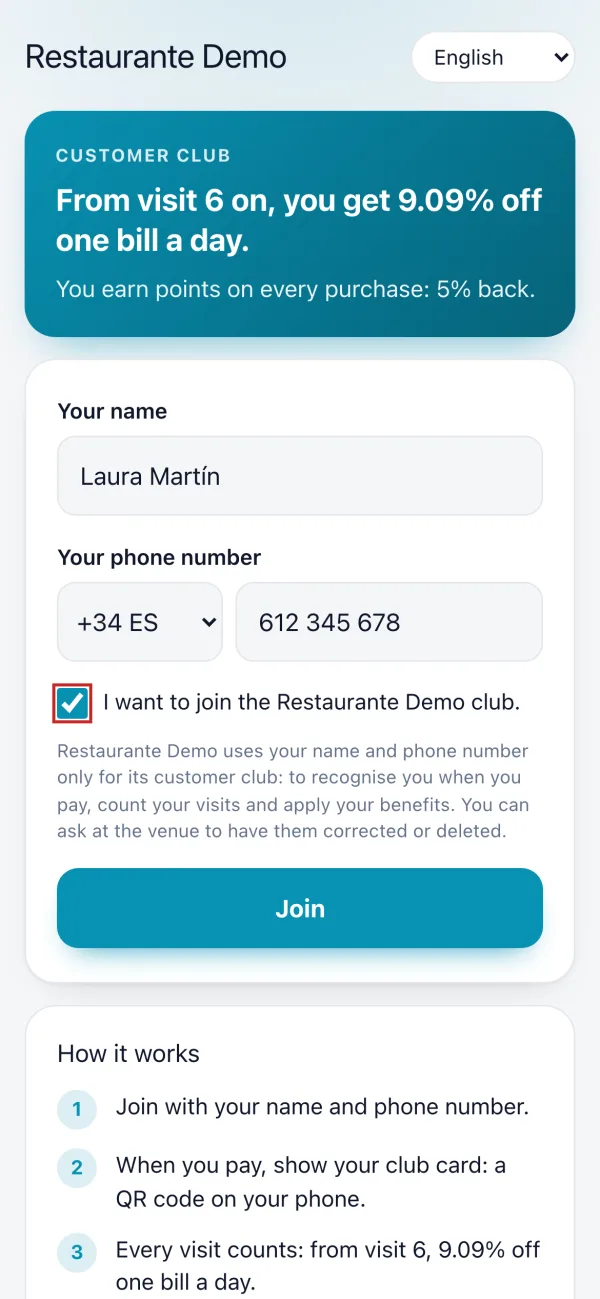
Print the club's QR for the tables or the bar. The guest scans it, types their name and phone number and confirms with a code sent to them on WhatsApp. Nothing to download.
Customer club
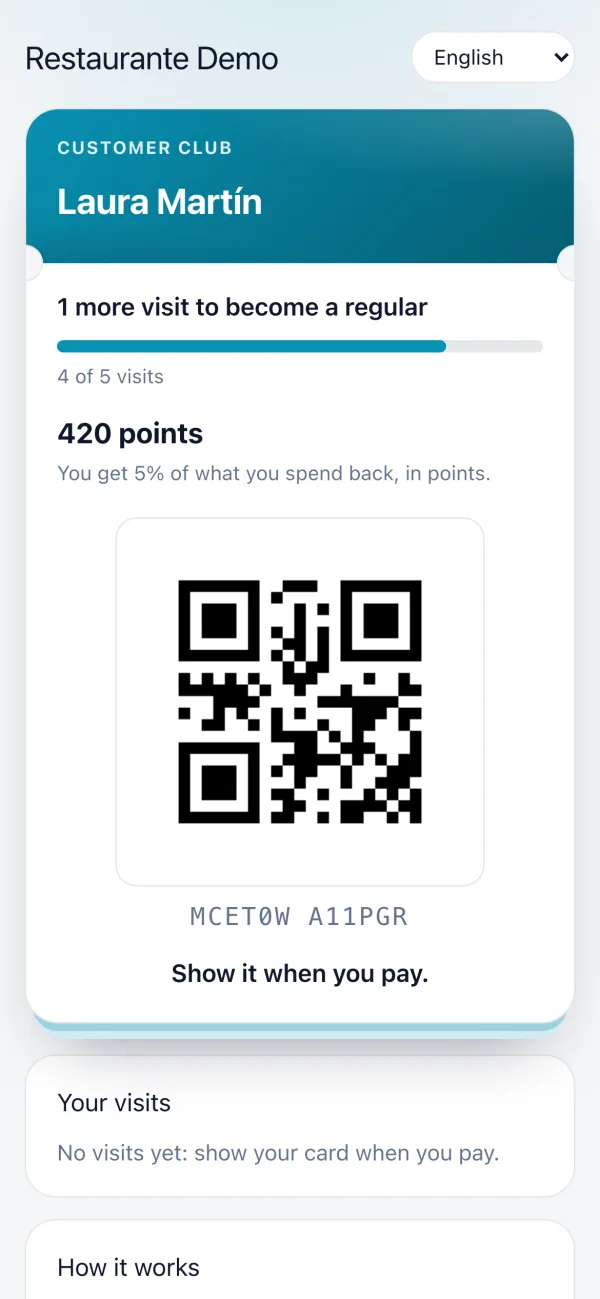
A customer club with the card on their phone: your regulars keep their discount even when you raise the menu, the waiter recognises them at checkout by scanning their card, and every bill earns points. No app to download.
A guest joins in half a minute, and from that day on the POS recognises them. You decide what they get: a discount once they are a regular, points for what they spend, or both.
Print the club's QR for the tables or the bar. The guest scans it, types their name and phone number and confirms with a code sent to them on WhatsApp. Nothing to download.
The moment they join, they have their card: their QR, their visits and how many more they need to become a regular. It works on any phone, and on Android they can also save it to Google Wallet.
At checkout, the POS camera or a scanner reads the card and the member is linked to the bill. When they pay, the visit counts by itself, at most one a day.
You decide how many visits it takes and what discount regulars get. From then on, the waiter applies it with one tap, on one bill a day.
On top of the discount — or instead of it — every euro can earn points that members redeem for the rewards you define, with a welcome bonus and a birthday bonus.
The club page and the card come in Spanish, English, Catalan, German, French, Italian or Portuguese, following the language of their phone, and the guest can change it.
The table's QR waits for someone to notice it. The invitation lands in every guest's hands with their bill, and gives them a reason to join right now: the points for what they have just paid.
Club Demo Restaurant
Join our club!
+122
POINTS
from this bill of €24.50
+100 more as a welcome gift
First reward: Beer or soft drink (250 pts)
Scan it with your phone's camera. It's free.
Valid until 05/11/2026
Your points are waiting
At 5 points per euro, with 100 welcome points. You prepare the invitation and test it on the printer from Loyalty, and once it is switched on it prints after every ticket. In English-speaking countries it prints in English, as here.
Raising prices is frightening for one reason: the guests who come most often are the first to notice. The regulars' discount sets them apart without touching the menu.
With that discount, a regular pays €20.00, the old price. With the same percentage as the rise they would pay €19.80: the discount comes off the new price, which is already higher. The calculator in your back office gives you this figure for any rise and copies it into the setting with one tap.
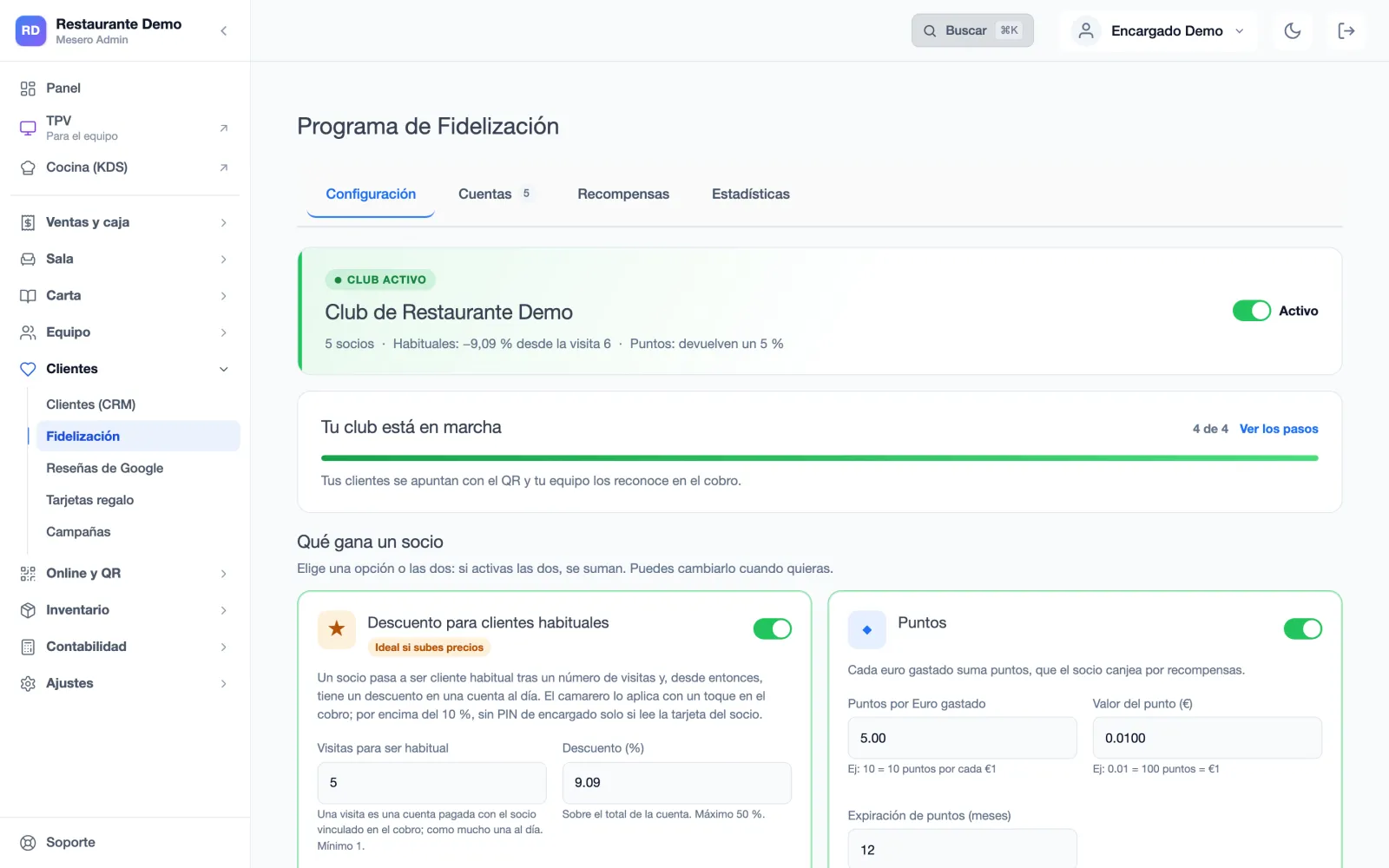
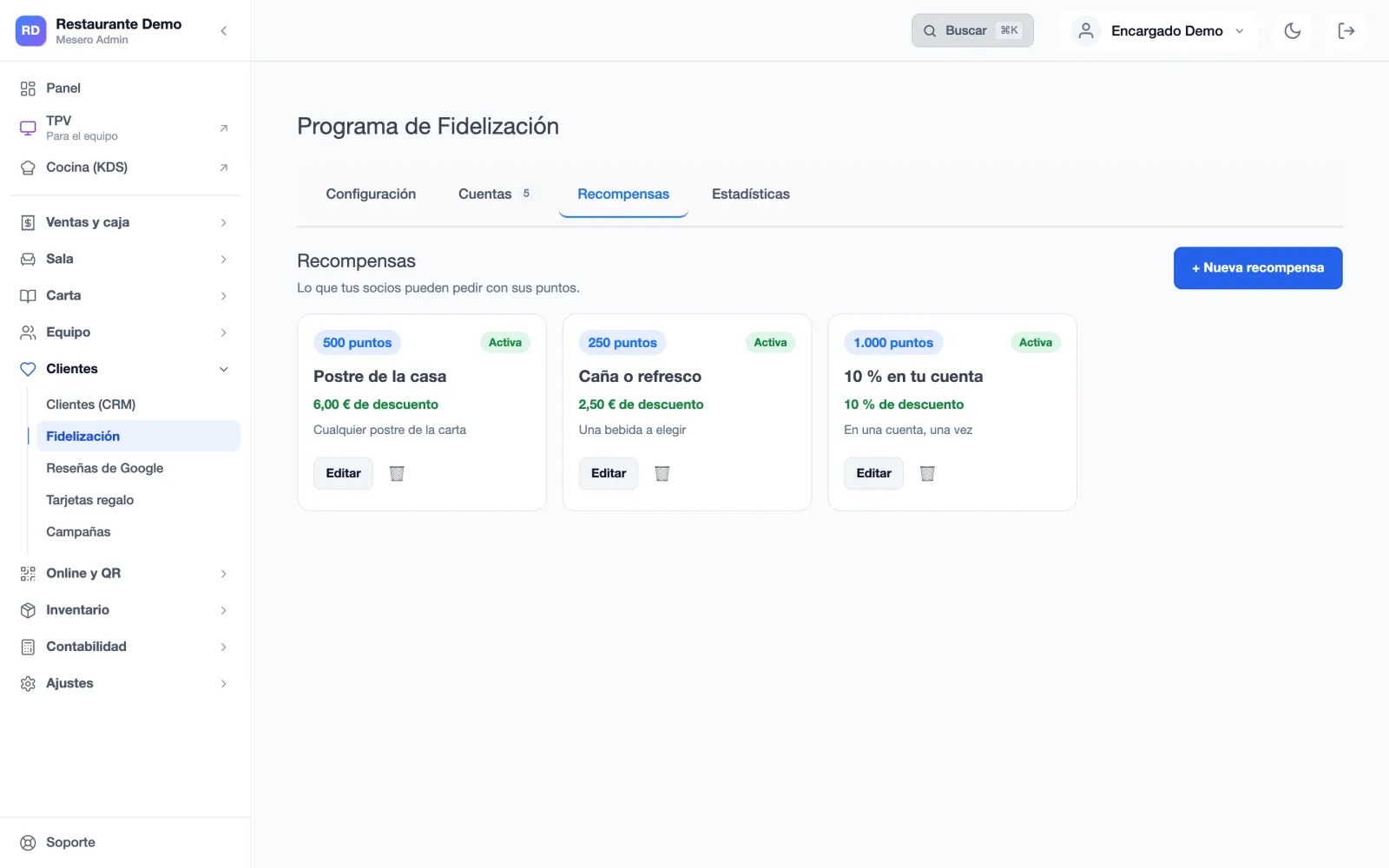
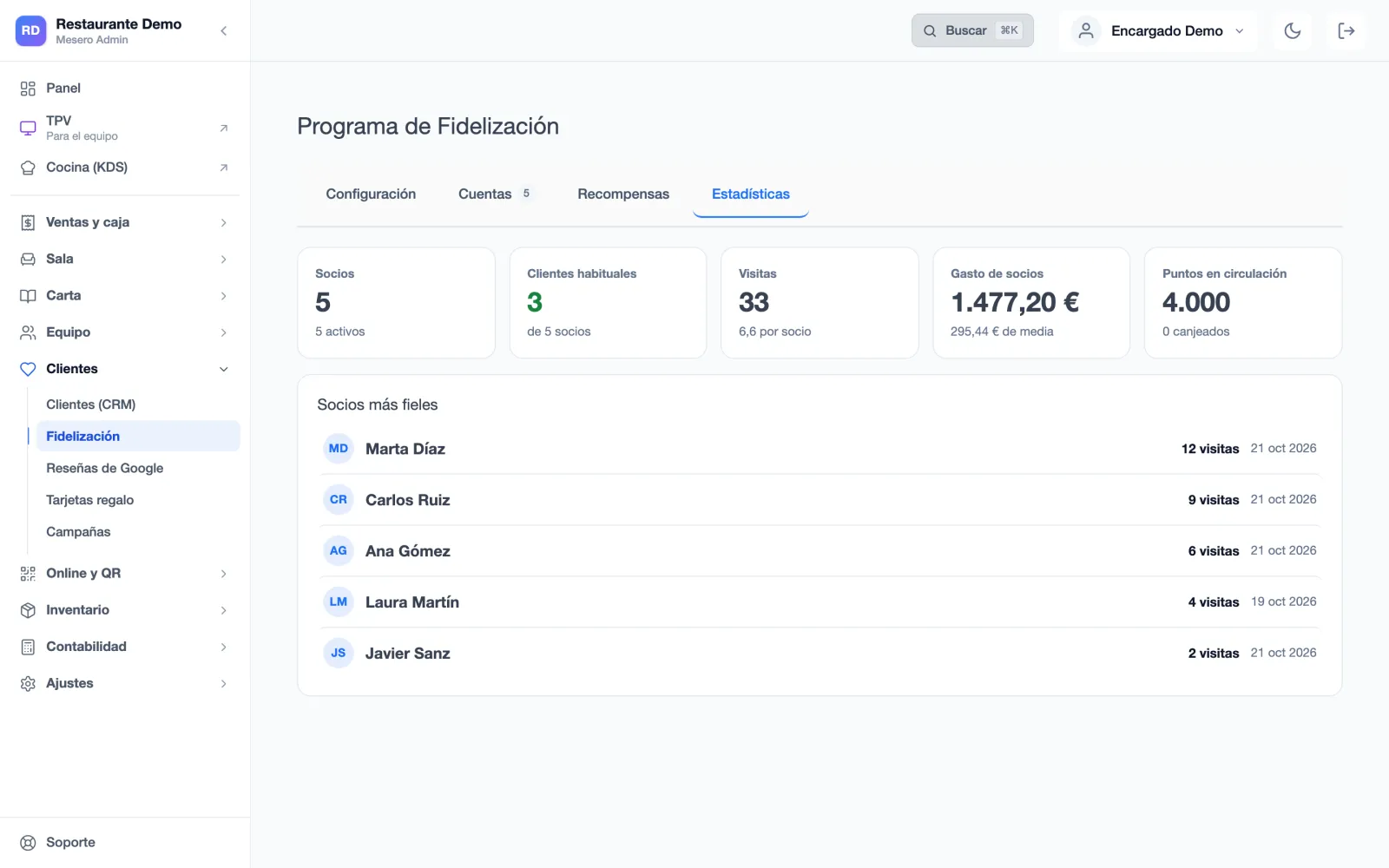
Loyalty guides you step by step the first time, then stays as the place where you see your members and decide what they get. These are its real screens (Spanish interface).
Switch the club on, choose what a member gets, print the QR and start recognising members at checkout. The guide shows what is left to do.
The regulars' discount, points, or both, which add up. If the points give back more than 20% of what the member spends, the back office says so before you save.
What your members can claim with their points: a dessert, a drink, a percentage off a bill. Your colour and your logo go on the card, on the club page and in Google Wallet.
Members, regulars, visits per member and what members spend, with your five most loyal guests in view. «Deactivate» pauses a member; «Delete from the club» erases their data when they ask, as the GDPR requires.
No charge per member, per card or per verification message.
€59 billed annually. Customer club, bookings, waitlist, delivery and buffet mode.
From €119 billed annually. The same for several venues, each with its own club.
Not per card, not per printed strip, not per WhatsApp code.
The customer club is not in these plans.
If your question is not here, write to us: a person from the team replies.
Talk to usAfter a bill is paid, the receipt printer cuts and prints a second strip with your logo, the points that bill is worth and a QR. The guest scans it, joins with their name and phone number and gets those points at once. It prints with the first print of a bill paid in full, on thermal printers, and not if the waiter has already added a member to the bill.
No. Each ticket gives its points only once, even if more than one strip was printed. A member can claim at most two tickets a day, and if you refund the bill, the points they earned with it are taken back.
No. They join from the club QR with their name and phone number, and get their card straight away on a page of its own. If they like, on Android they can also save it to Google Wallet, like any other card.
Yes. On any phone, iPhone or Android, the guest has their card's page with their QR, their visits and how many more they need to become a regular. On Android they can also save it to Google Wallet.
Nothing for the restaurant: it is included. When they join, the guest gets a code on WhatsApp that proves the phone number is theirs. If you prefer, you can switch verification off and they will join with just their number.
Yes. From the member's file, «Mark as regular»: they get their discount from their next bill, however many visits they have.
From their file, «Delete from the club»: their name, phone number, visits and points are deleted, and their card stops working. The bills they already paid stay in your sales, without their name. If you only want to pause them, «Deactivate» can be undone.
You renew the QR from the member's file and the old one stops working at once. On top of that, the regulars' discount is for one bill a day, and above 10% it only applies without a manager's PIN if the POS scans the card.
90 days free, no card. Switch the club on, choose your regulars' discount and print the QR for the tables.