Fast flow
Favourites, modifiers, notes and direct payment keep teams moving at pace during peaks.
- Fewer taps per order
- Faster payment flow
- Lower friction for new staff
Restaurant POS
Mesero POS is built for real hospitality: faster order entry, split bills, clear modifiers and a UI the team does not have to think about twice.
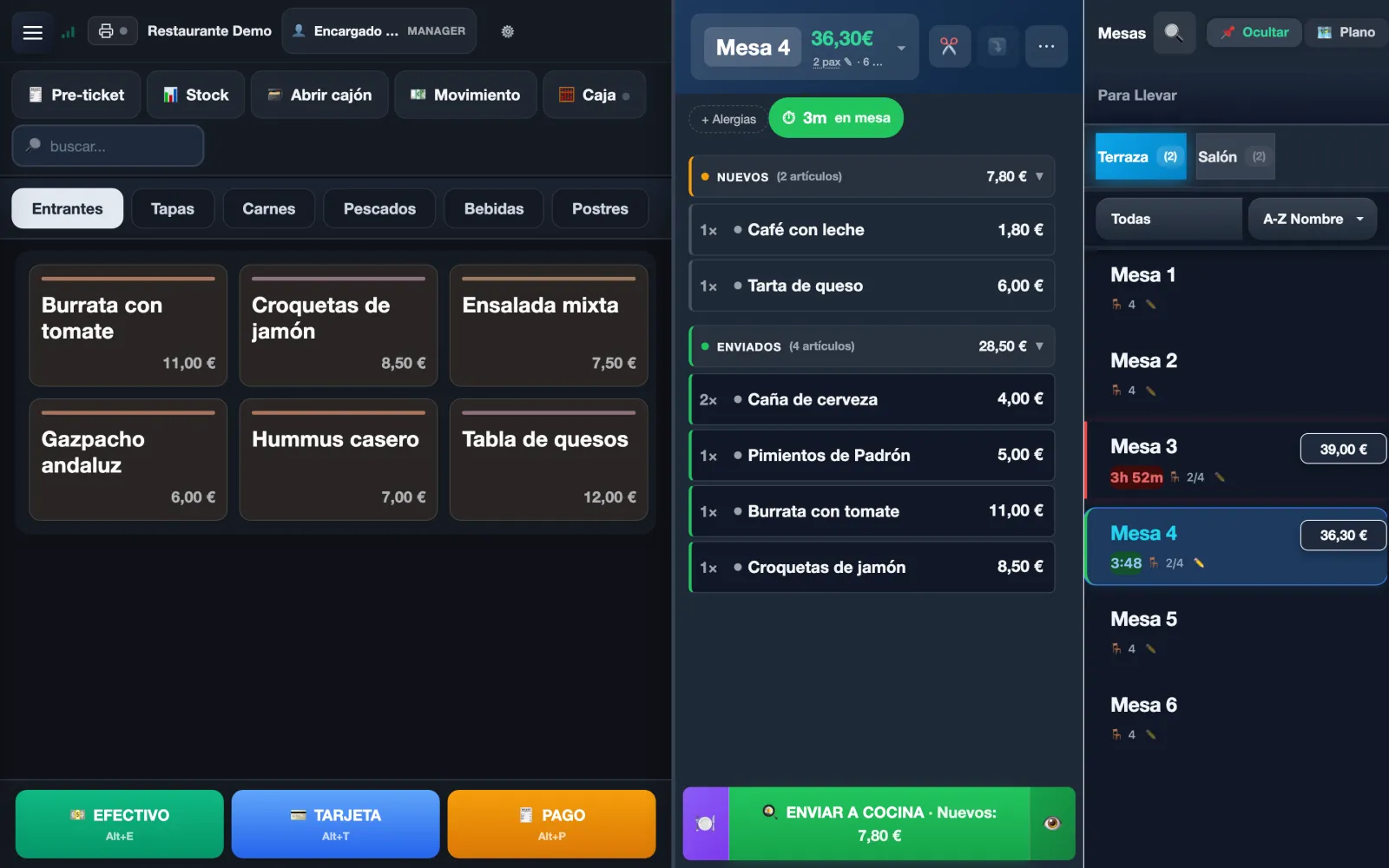
A table's whole journey on Mesero's POS, with its real screens — in Spanish, with demo data — not a simplified version for the brochure.
The Tables panel is your floor plan, by zones such as Terrace or Dining room: each table shows whether it is free, occupied, reserved, paid or joined, how long it has been open and its amount. Tap one, say how many guests, and its bill opens.
No table — bar, pickup, counter? Takeaway opens a ticket identified by number.
The menu, grouped by category, with search for long menus and Recent for what sells most. Each tap adds one; to change a quantity, tap the line and use the keypad.
Modifiers, extras and notes go on each line, so “no onion” travels with the dish it belongs to. The bill keeps what is New apart from what was already Sent.
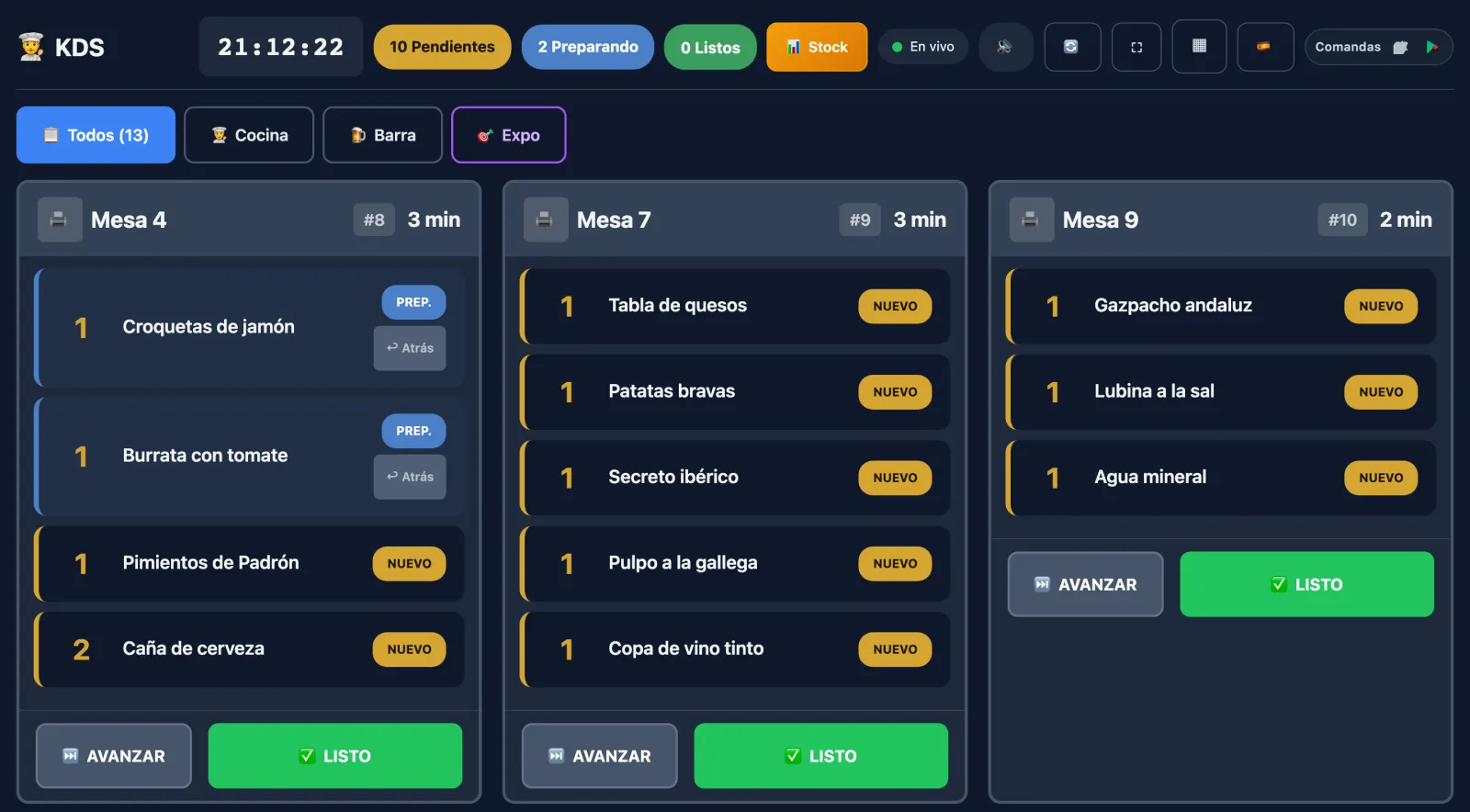
On send, the order prints at the right station's printer or appears on the kitchen display, with its modifiers and course. And if you go to charge with dishes still unsent, the POS warns you first.
The POS runs in the cloud and needs internet to send and charge: an indicator in the header shows when the connection drops, and if the venue's line goes down you share a phone's data and carry on. The Mesero Comandas app keeps orders on the phone and sends them when the connection is back.
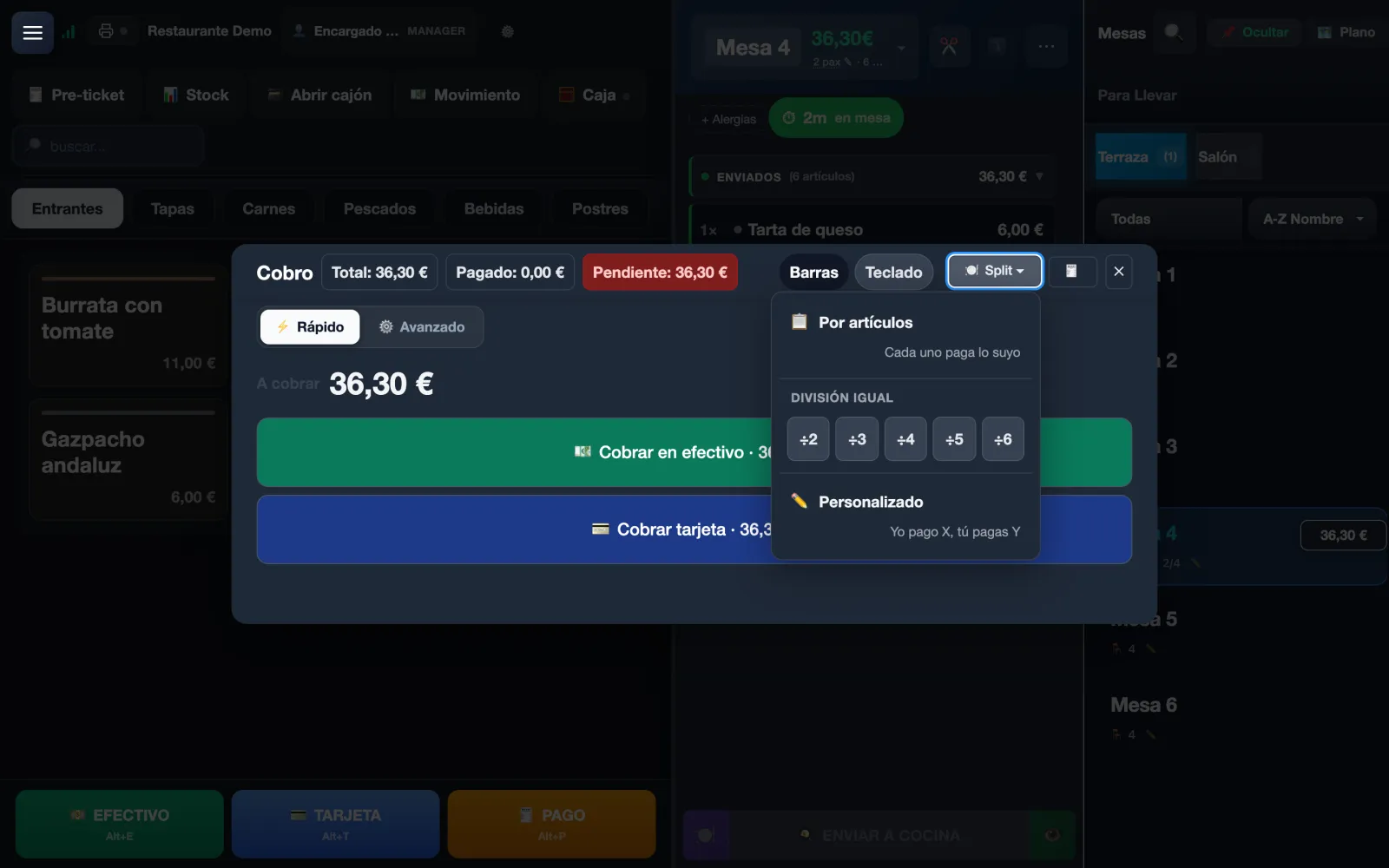
Four ways to split, with exact arithmetic so the parts always add up to the total: by items (each pays their own), an equal split between 2 and 6 people, custom (“I pay X, you pay Y”) or moving lines to a new ticket.
You can charge one part now and leave the table open with the rest pending.
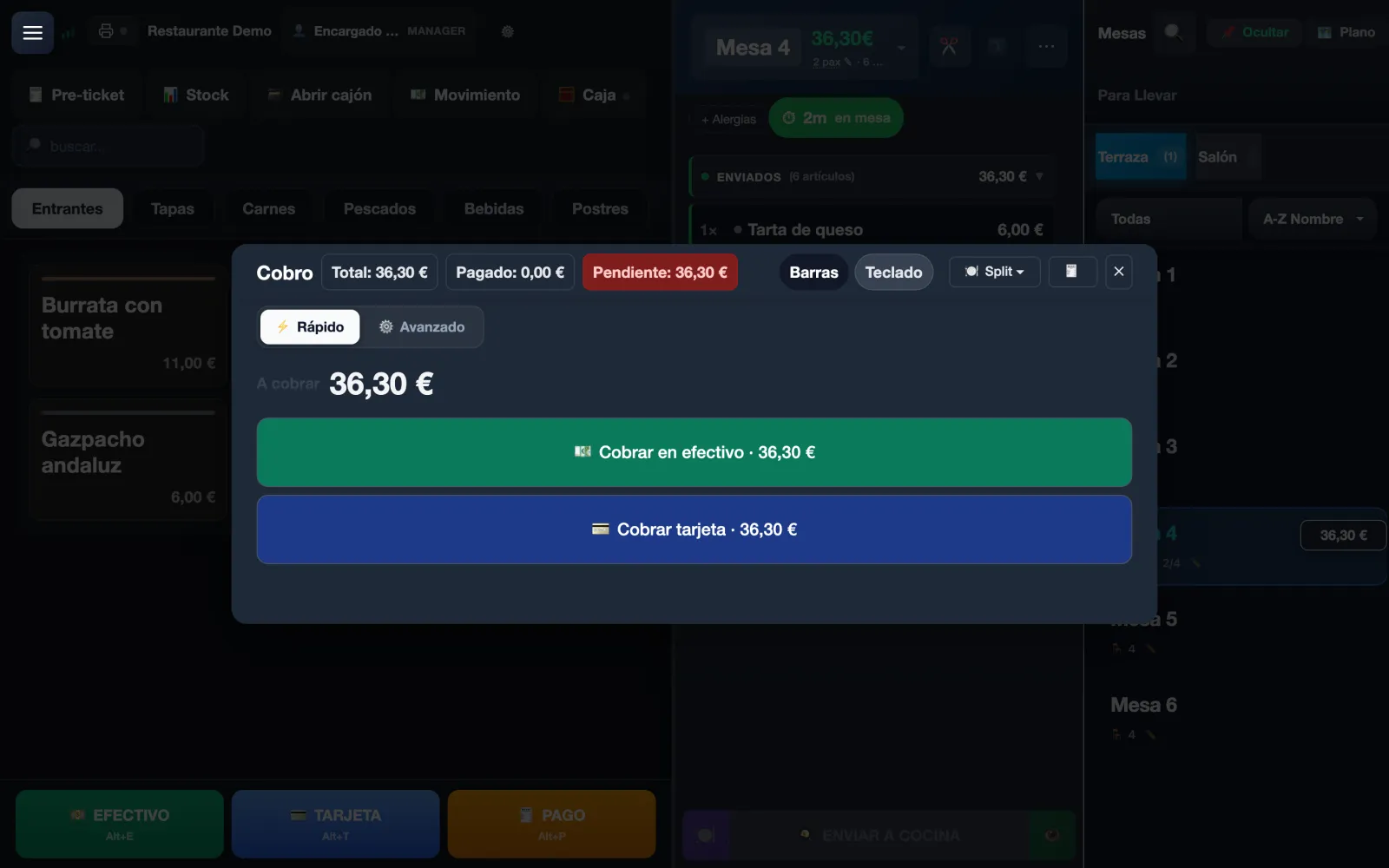
The payment screen keeps Total, Paid and Pending in view. In Quick mode the table is charged in one tap: cash or card for the exact amount.
Advanced mode is there when you need it: keypad, notes and coins, tip, discount, mixed payment or invoice.
Moving and joining tables, discounts, comps and voids are in the POS itself, with permissions by role so that not just anyone can void a line already sent. Training mode lets you teach new staff without touching the day's takings.
A hospitality POS does not win by having more buttons. It wins by letting staff charge, move tables and send to kitchen without slowing service down.
Favourites, modifiers, notes and direct payment keep teams moving at pace during peaks.
One product covers different selling models without forcing teams to learn a second system by channel.
Permissions, receipts and printing designed for the busiest moments of service.
Kitchen, QR, delivery, inventory and analytics all start here. That is why it is the centre of the product, not a modern till in isolation.
The wider stack can roll out in phases. POS is the part that tells you fastest whether the product can hold your operation in the real world.
Wherever orders and payments have to keep up with service.
What changes first, from the first service.
The POS is in every plan. What changes between them is how many terminals and users work at once, and what else is switched on around it.
For solo-operator bars and cafés: just what you need to sell, take payment and stay compliant.
For smaller restaurants that want a cleaner operation without extra complexity.
For growing restaurants that need operations and sales to run from one system.
For groups and franchises that need control, integrations and multi-location visibility.
Prices exclude VAT (21%). Compare what each plan includes →
Mesero is built to start at the till and grow into QR, kitchen, online ordering, bookings and inventory without changing systems later.