Operational menu
Photos, modifiers, allergens, languages and categories designed to convert without overloading the guest.
- Digital menu without downloads
- Visual context per item
- Less doubt during ordering
QR ordering
Mesero turns the digital menu into a real operational channel: table-level QR, mobile ordering, app-free payment and direct sync into POS and kitchen. It is not a disconnected add-on. It extends the same operating system.
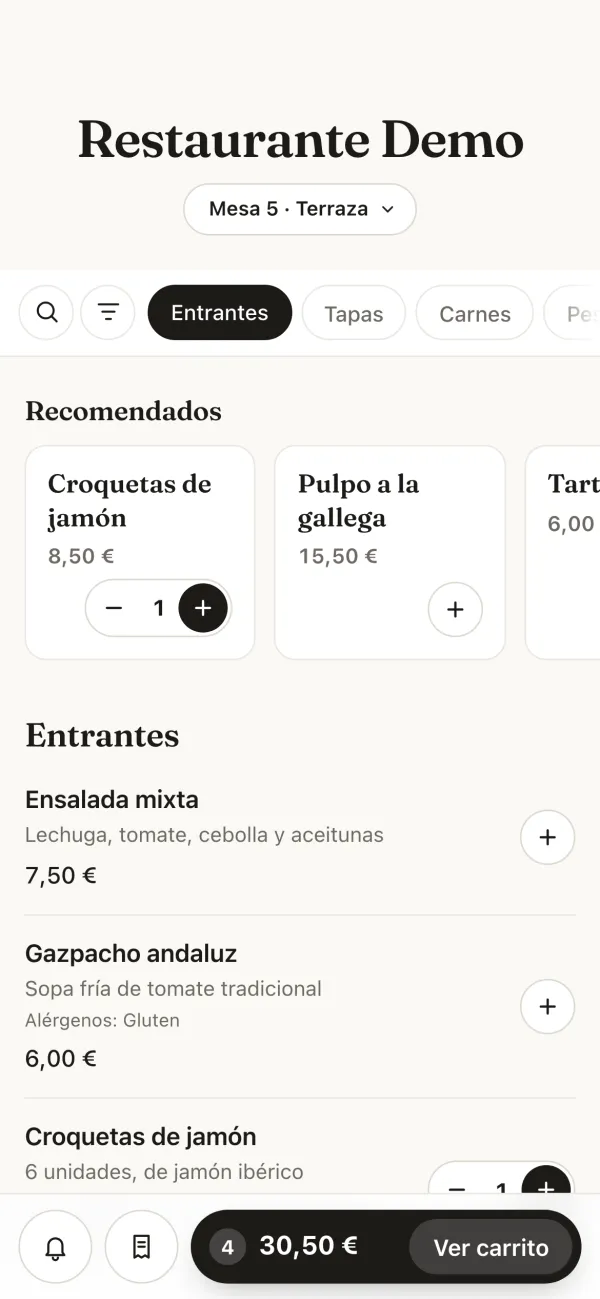
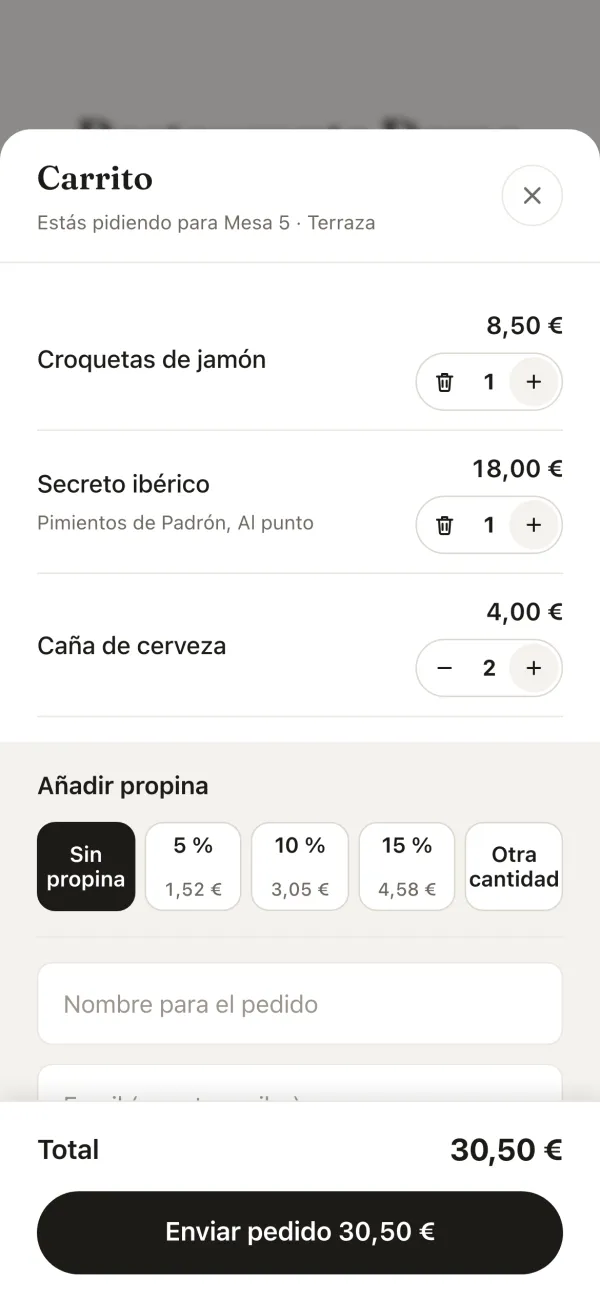
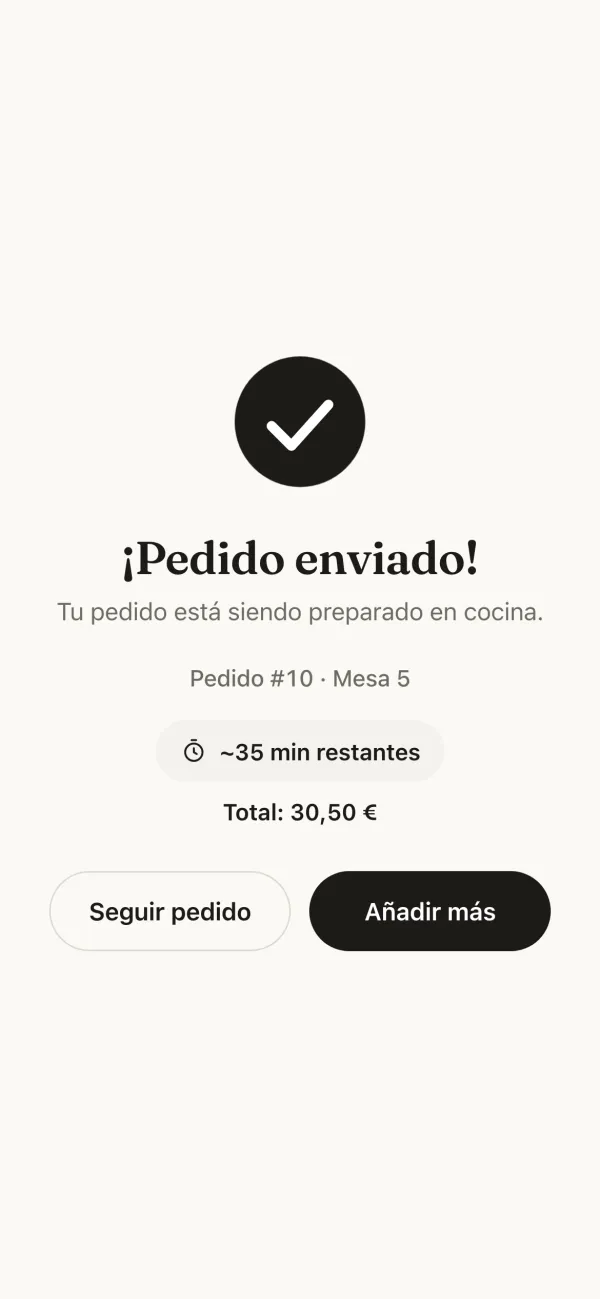
QR ordering uses the same engine as online ordering, in its «At the table» mode. For your kitchen there is no difference between a waiter's order and one from a guest's phone. These are its real screens (Spanish interface).
The codes are generated and printed from the floor plan, one per table. Guests open the menu in their browser without installing anything: no app, no sign-up, no account to create.
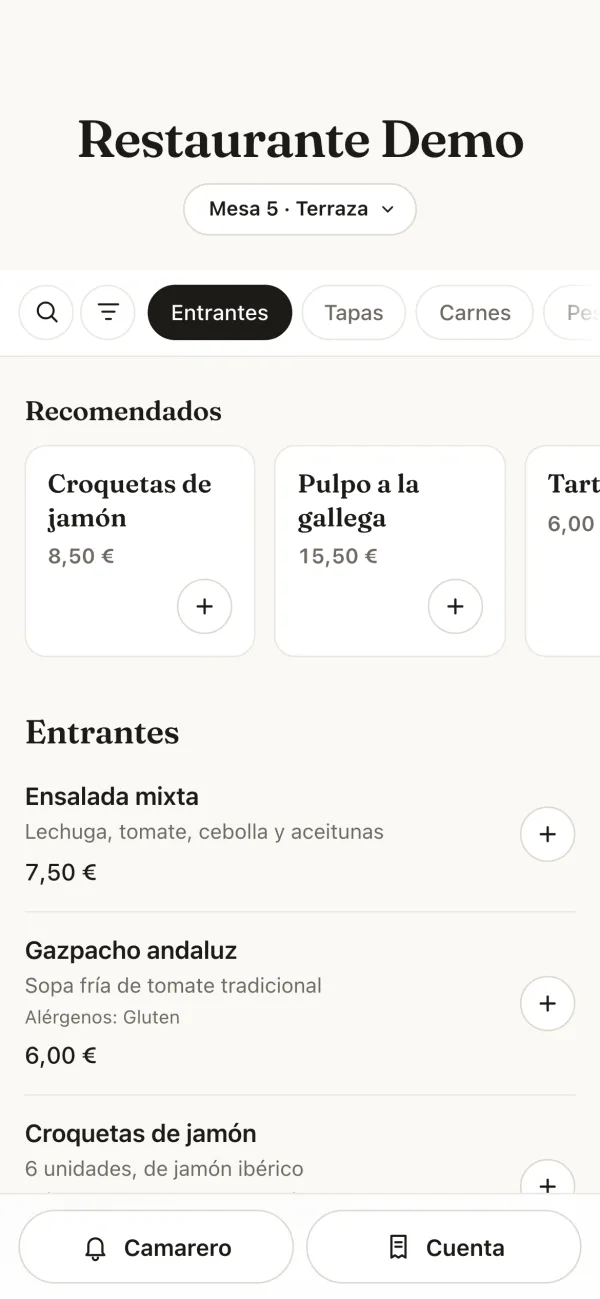
The menu already knows where it is: at the top it says Table 5 · Terrace, and the order arrives with its table and zone.
Only the dishes you have switched on for QR appear, with photos, descriptions and the 14 allergens of EU rules. The QR menu and the POS menu are the same: you change a price once.
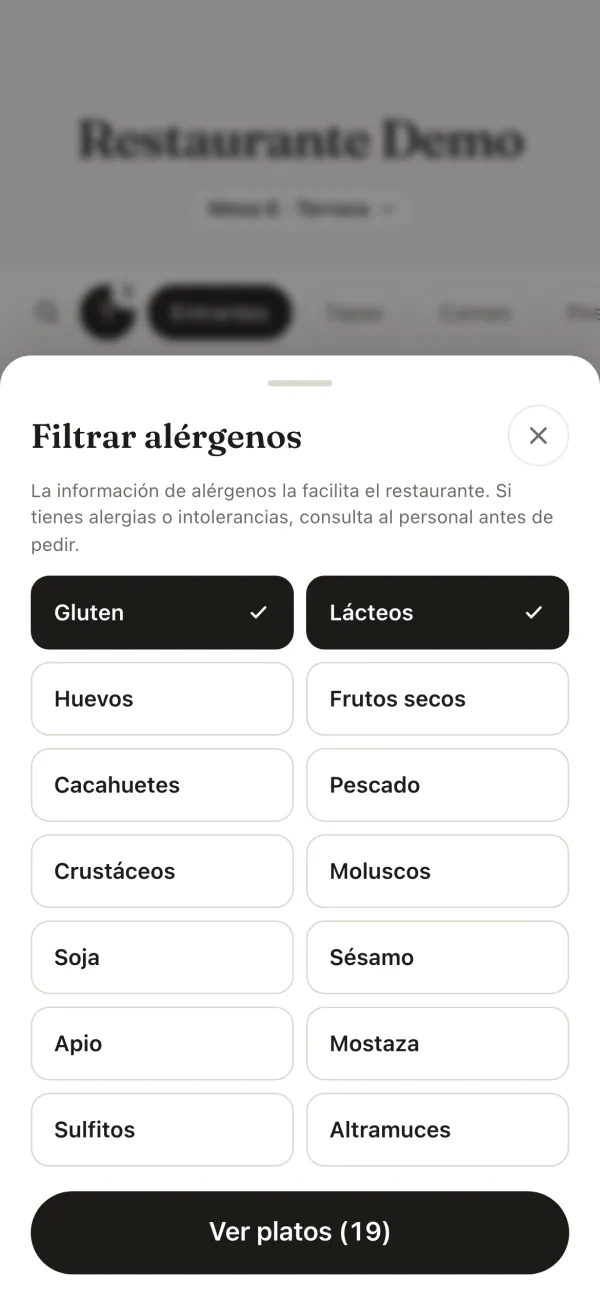
Guests can filter by allergen: dishes containing them are hidden, and those without the information filled in say so instead of passing as safe.
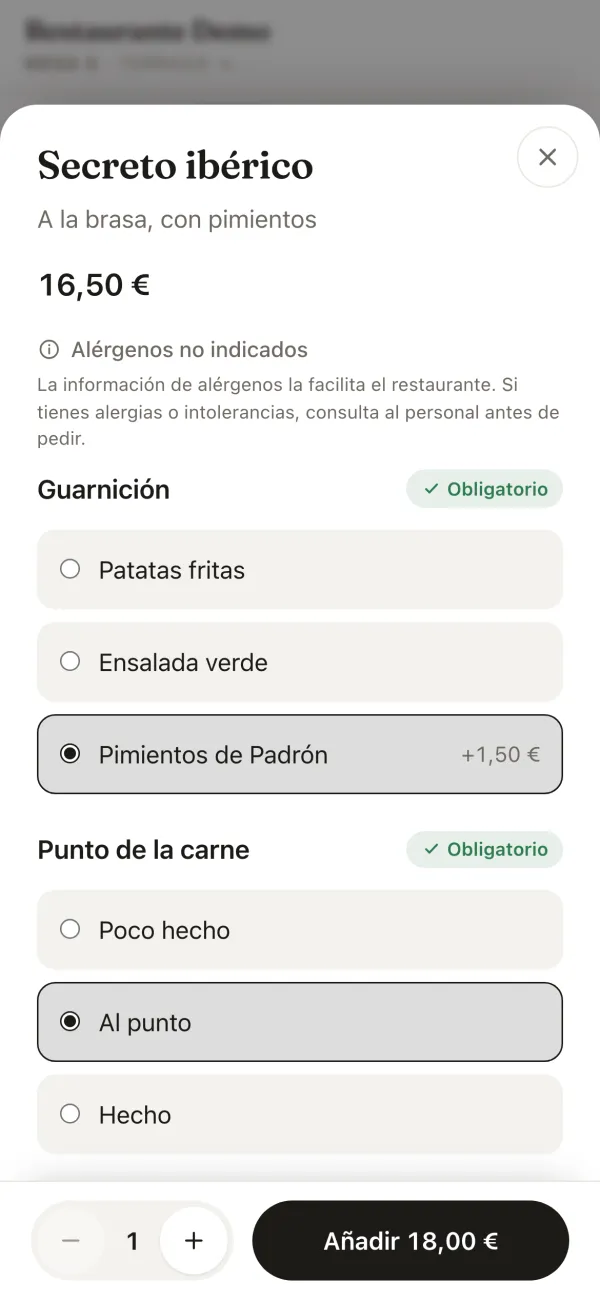
Sides, how the meat is cooked, priced extras and notes, as a waiter would ask. If a choice is required, the dish is not added until it is made.
The price updates with every extra: Add €18.00.
The cart says which table is ordering and lets guests add a tip: 5, 10 or 15 % or any amount they like. Before sending, the menu asks Anything else? with drinks, desserts or coffees not yet in the order.
You decide whether it is paid on sending, by card from the phone, or at the end from the POS, like any table.
The order appears on the kitchen display and on the table's bill in the POS, with its zone and course, exactly like an order taken on the floor.
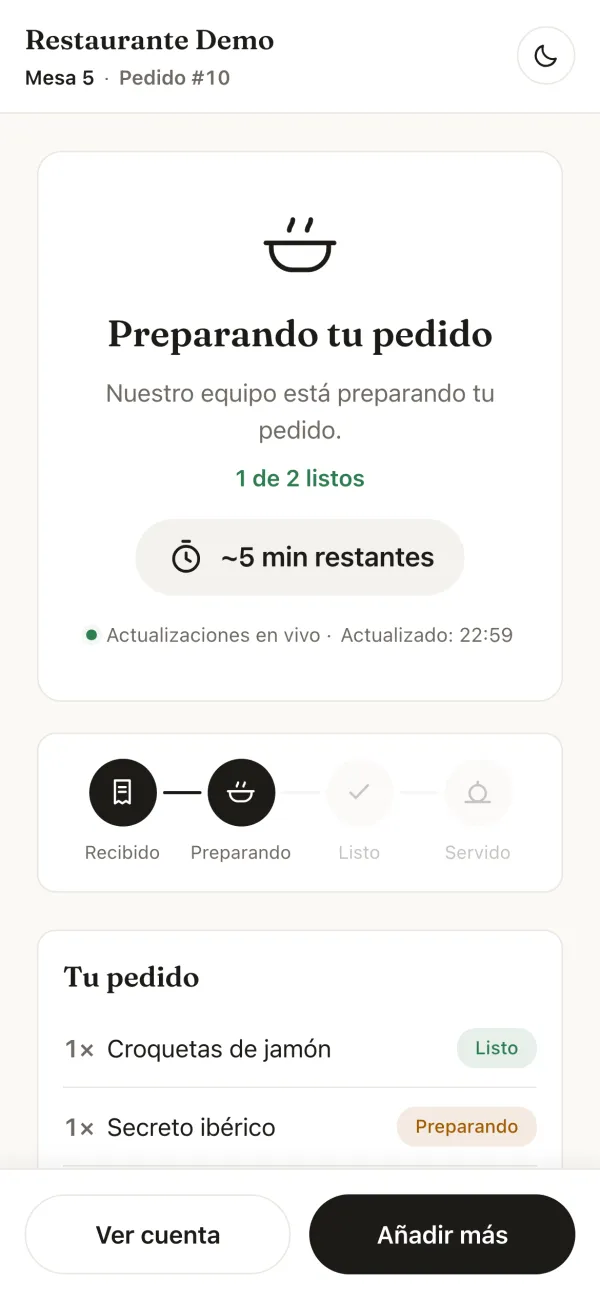
The guest sees Order sent! with the order number and an estimated time.
Received, preparing, ready, served: guests watch each dish move on from their own phone, so they stop looking around for the waiter to ask.
From the same page they can Add more to the table or See the bill.
If you don't charge up front, the table closes as usual from the POS, with the four ways to split a bill and the ticket with its VeriFactu QR. With online payment switched on, the table can also see its bill and pay it from the phone.
QR works best when it is not treated as a side microsite. Mesero keeps it connected to menu, kitchen, stock and payment so it genuinely removes pressure from the operation.
Photos, modifiers, allergens, languages and categories designed to convert without overloading the guest.
The guest closes the loop from their phone, while the business reduces unnecessary waiting to order or pay.
Promotions, branding and table-level reading make QR more serious than a temporary menu workaround.
QR ordering is not just a nice menu front-end. It reuses the POS catalogue, feeds the same kitchen flow, touches the same inventory and leaves the same guest signal for CRM and analytics.
QR ordering usually lands best when the real bottleneck is waiting for staff to take or close an order.
Start with a few tables or a full terrace without rebuilding the menu or creating a parallel system. That is the kind of rollout that stands up in real hospitality.