Meeting Spain's RD 8/2019 obligations without paper sheets, spreadsheets or a new app nobody opens. Staff clock in from the mobile app, their personal QR, the restaurant tablet (which rings when it is time to clock in) or WhatsApp — whichever they prefer. You get the legal log exportable for four years.
90 days free · No per-employee fee · Kept four years
iOS & Android
WhatsApp
Personal QR
Web kiosk
Shift alarm
Example
Ana López · in 09:58From the tablet, with her PIN
Marc · “entrada”On WhatsApp, no app
Sofía's shiftThe tablet rings and calls her
Lucía · outToday's total: 4h 06min
Daily time recordPDF for the Inspectorate
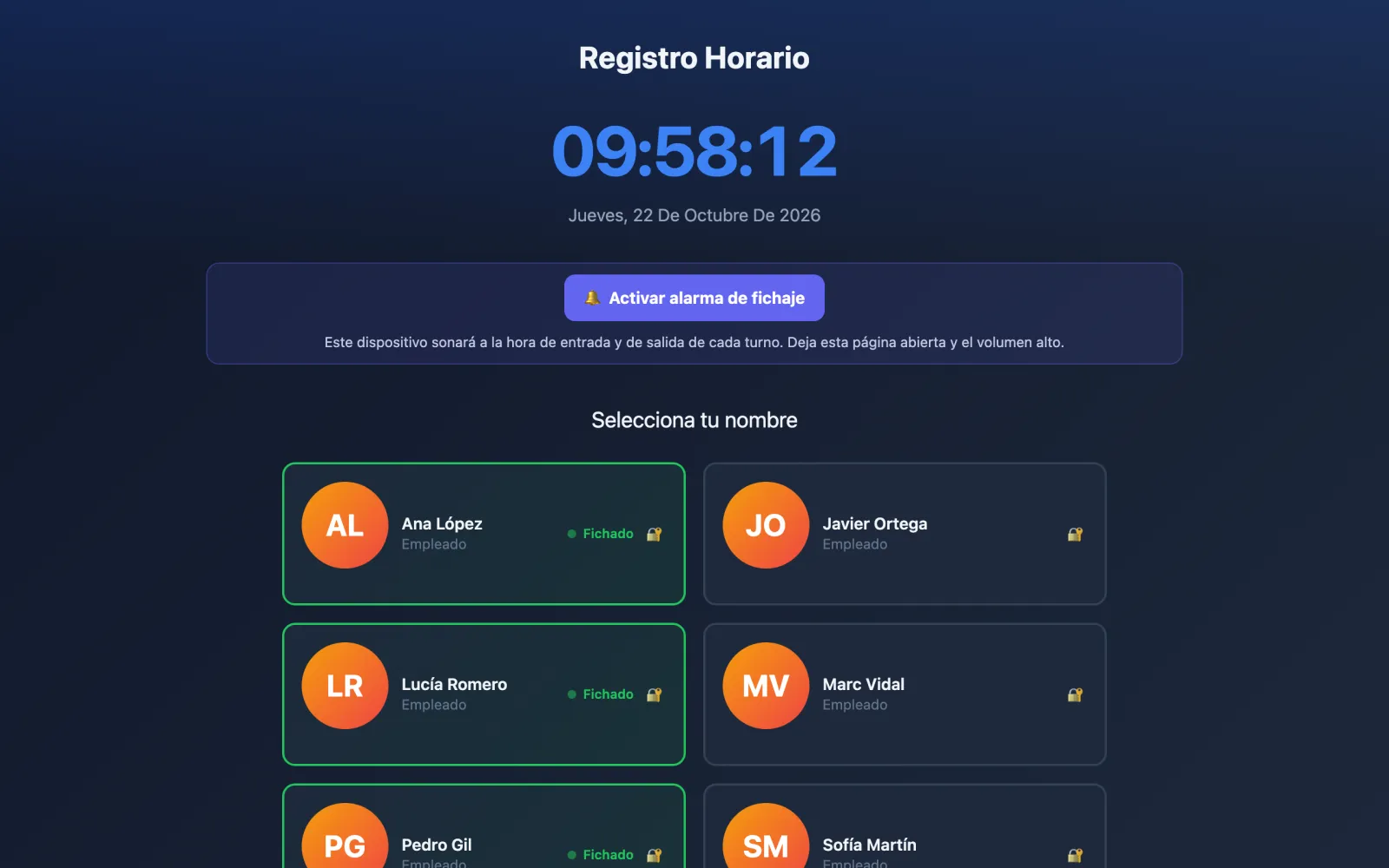
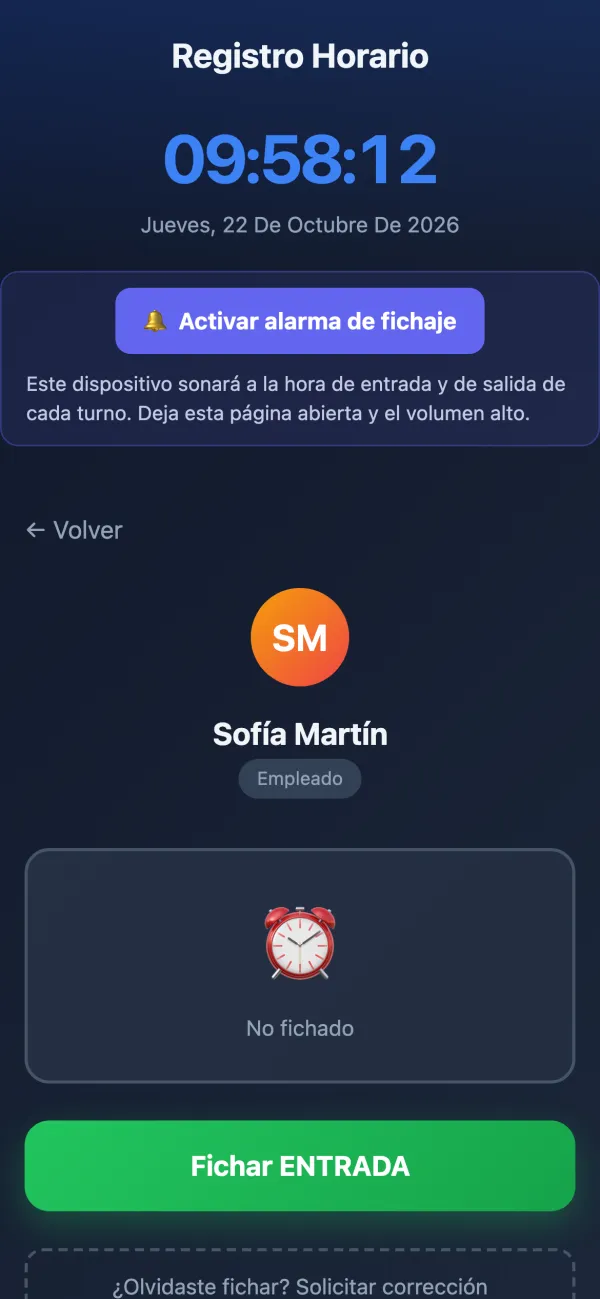
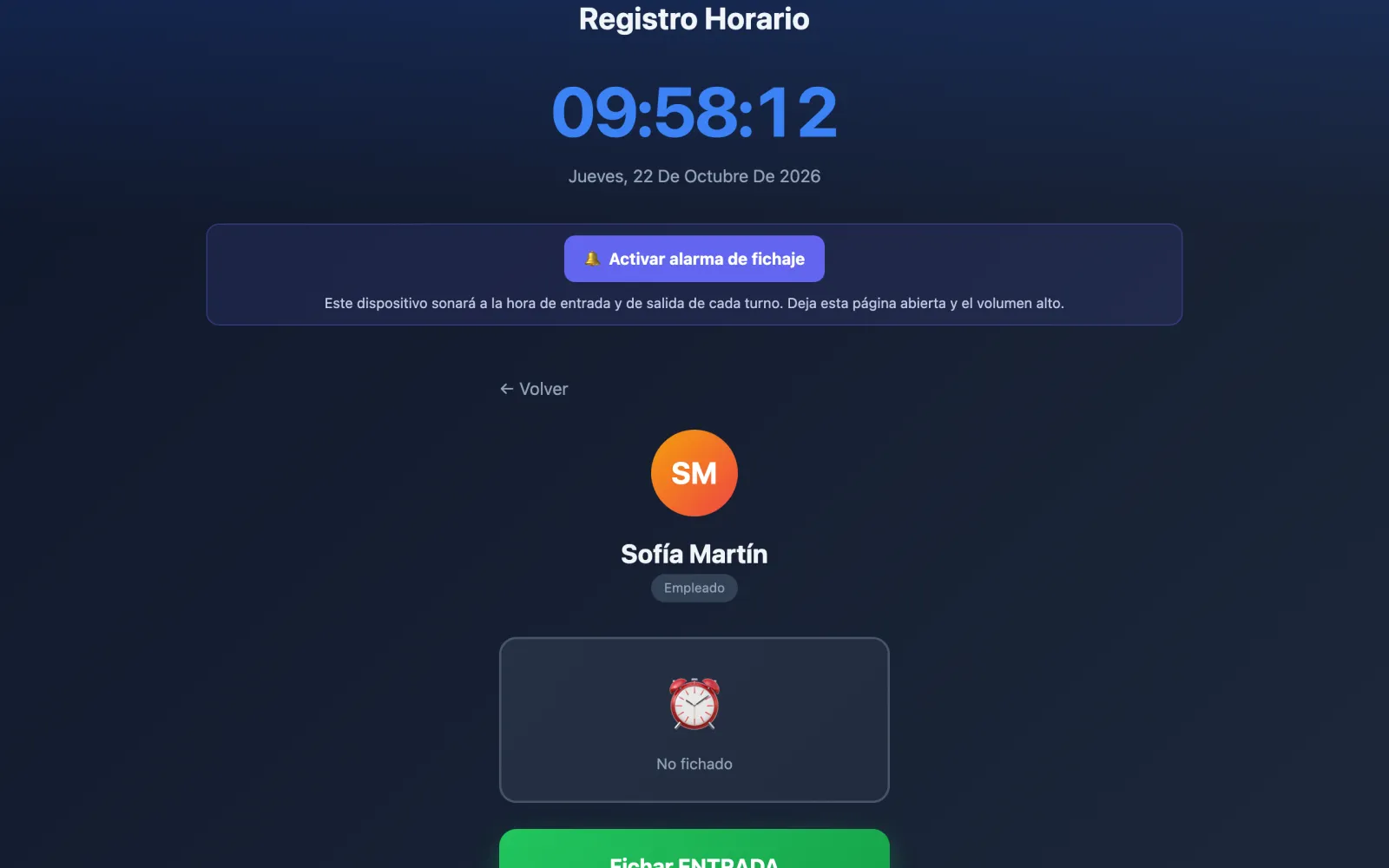
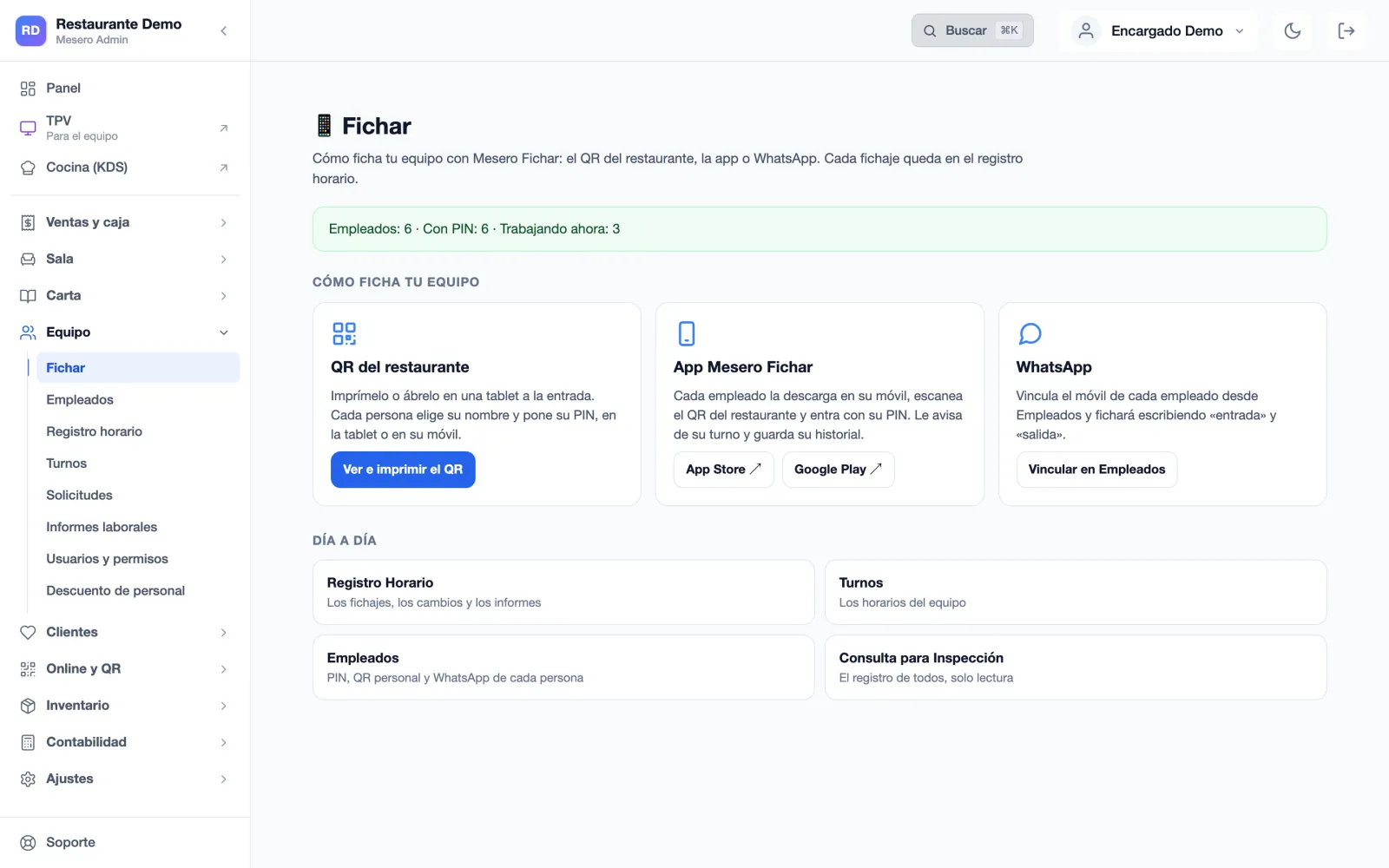
A real screen of Mesero's clock-in page (Spanish interface) with demo data; around it, examples of what happens in a working day.
Why this matters
The law requires it. Paper breaks under audit.
Since May 2019, every restaurant in Spain must record each worker's start and end time every day. Not doing so is a serious infringement, fined from €751 to €7,500. Paper sheets get lost, signatures can be forged, and the Labour Inspectorate can ask for the last four years at any time.
RD 8/2019 built-in
Every clock-in is stored with its time and its source (app, WhatsApp, QR or web), and those from the app and the web also with the IP and the device fingerprint. Kept four years, exportable to PDF, Excel or CSV for the Labour Inspectorate.
Tablet optional
Employees clock in from the phone they already have: the Mesero Fichar app, their personal QR or a WhatsApp message. And if you prefer a tablet in the kitchen, the web clock rings at the start and end of every shift.
Anti-buddy-punching PIN
A PIN per employee stops one worker clocking in for another on the shared tablet or at the restaurant QR. For WhatsApp, the linked phone is the identity.
Four surfaces
Your team picks. You don't pick for them.
The mistake most clock-in systems make is forcing a single method. If the waiter hasn't installed the app, they don't clock in; if the system only takes QR at the door, the cleaner arriving before opening can't register. Mesero Fichar runs four surfaces in parallel, on the same record.
M
Shift in 10 minutes now
Your shift starts at 12:30 — don't forget to clock in
App StoreGoogle Play
Native iOS and Android app
Mesero Fichar on the App Store and Google Play. Employees sign in with their personal QR and PIN, and clock in and out. It reminds them before their shift, at the start and before the end, and again if they still have not clocked in 10 minutes in.
entrada
✅ Clock-in registered, Marc
🕘 12:31
Have a great shift! When you're done, reply 2 or salida.
WhatsApp clock-in
Employees send “entrada” or “salida” to the Mesero WhatsApp number. No app install, no password to forget: linked once with a 6-digit code the manager generates. WhatsApp clock-in in detail →
Personal QR per employee
Each employee has their own QR. They save it to their lock screen or carry it on their badge, scan it with any phone and clock in on the web. Useful for staff without a personal phone or WhatsApp.
The restaurant's web clock, on a tablet
A tablet in the kitchen or a back-office computer: the staff list only opens with the restaurant's code, and each person picks their name and enters their PIN. With the shift alarm on, the tablet rings at clock-in and clock-out time and calls the person by name.
For the manager
The time record, up to date, without chasing anyone.
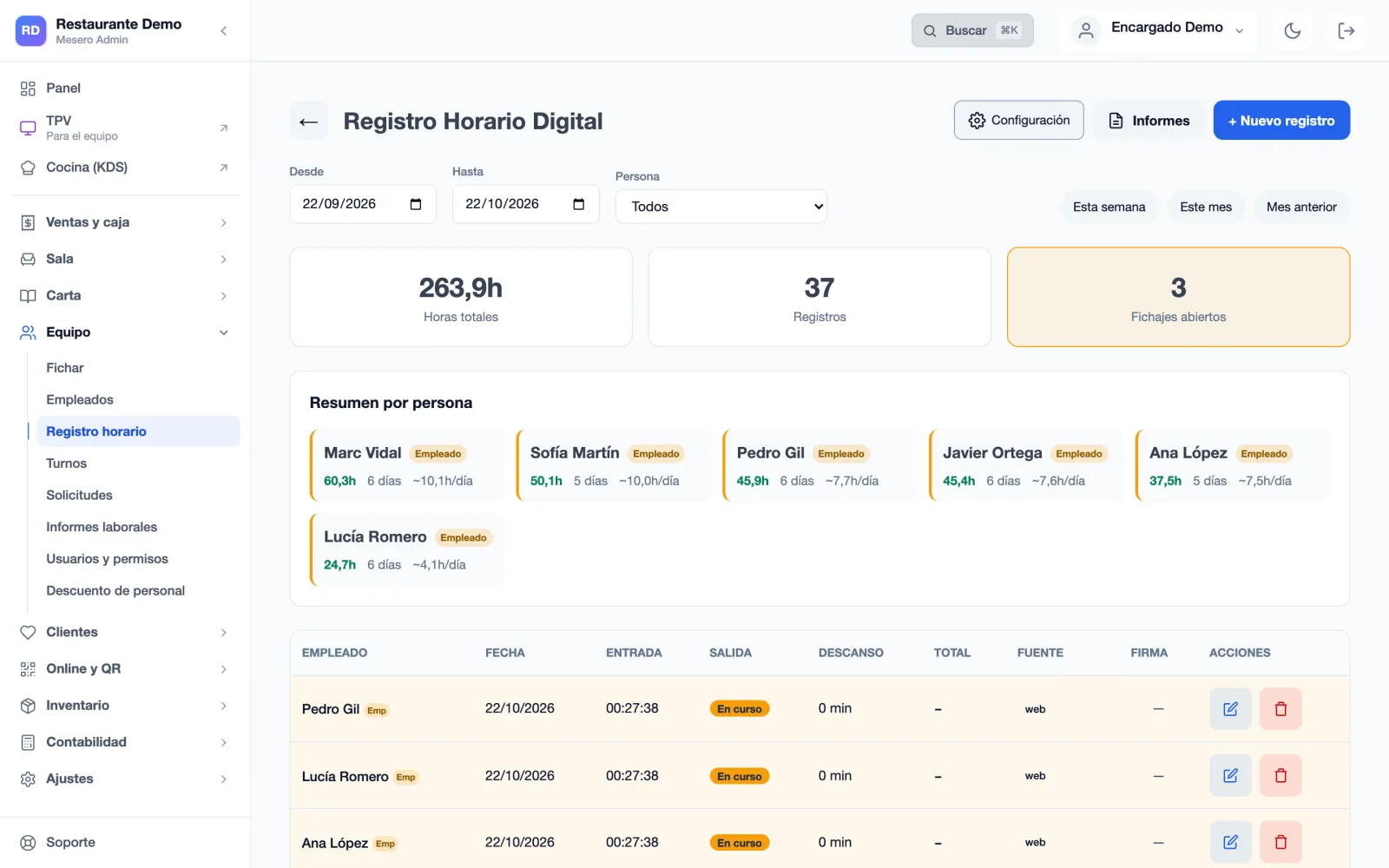
Everything clocked on the tablet, the app, by QR or on WhatsApp ends up in the same time record, with its hours and its source. (Screens in Spanish.)
Step 1
Each person's hours
Total hours for the period, open clock-ins and a summary per person with the days worked and the daily average. If someone forgot to clock out, it shows here, and it closes with one tap.
Step 2
Each clock-in, with its source
In, out, break, total and where it came from: the app, the web, the QR or WhatsApp, with the signature if you ask for one. Whoever forgot to clock in requests the correction from the clock page itself, and you approve it.
Every edit keeps the original value, who made it and when.
Step 3
How your team clocks in
The restaurant QR to print, the app and the WhatsApp link, on one screen. And the view for the Inspectorate: everyone's record, read-only.
Step 1 of 3 · The hours
Legal readiness
Ready for Labour Inspection at any time.
Spain's digital time-tracking rules are clear: a daily record, four-year retention, access for the worker and the inspector, and nothing changed without a trace. Mesero Fichar covers all four by default, with nothing to configure.
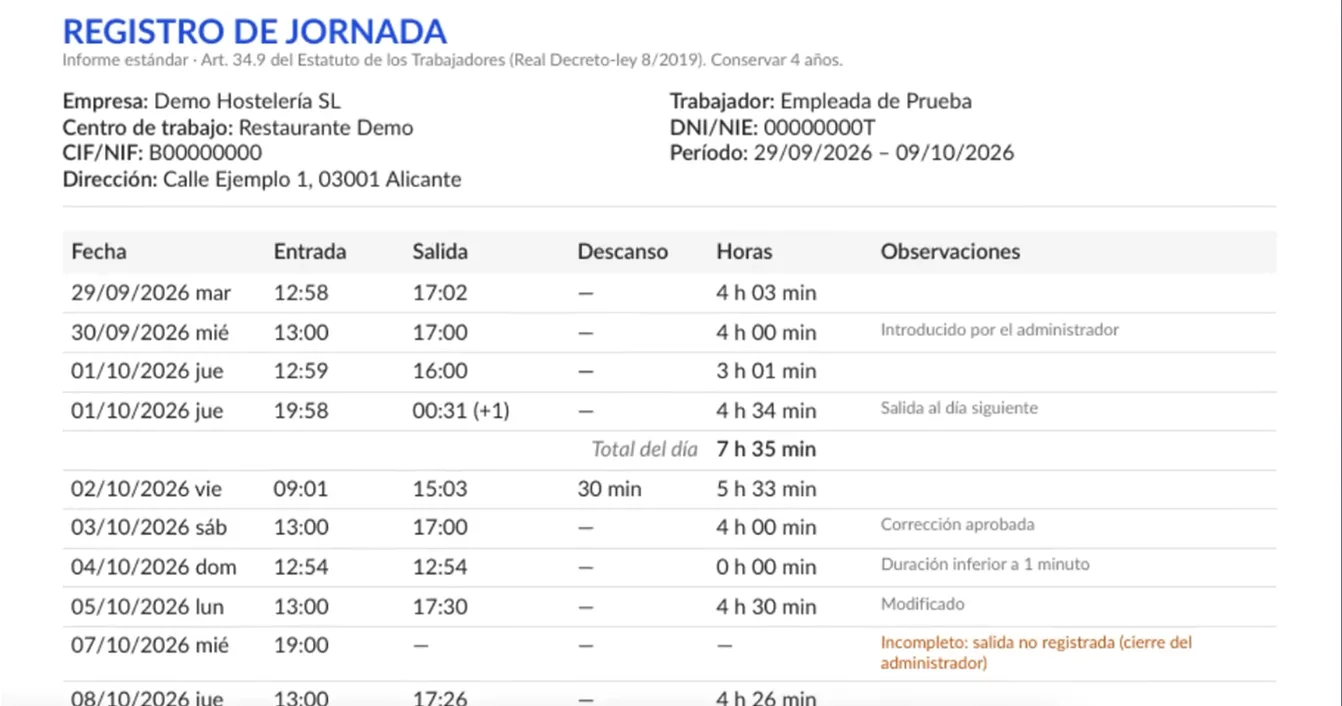
The PDF the Inspectorate asks for, by date range, for the whole team or one person, with the period's total and incomplete days flagged.
Every change in view: entries made by the administrator, approved corrections and modified clock-ins are flagged in the record itself.
A separate audit in Excel with deleted records, every manual change and every correction request.
ExampleA daily time record exported by Mesero, with a test employee's data.
Compared
What the law asks, against paper and spreadsheets.
Paper and a spreadsheet work until the day the Inspectorate arrives. These are the differences you notice that day.
Legal requirement
Mesero Fichar
Paper sheet
Manual spreadsheet
Daily mandatory record
Automatic on every clock-in
Risk of gaps
Risk of gaps
Four-year retention
In the cloud, four years
Depends on the filing cabinet
Depends on the backup
Changes after the fact
Every edit keeps the original, who and when
Editable by hand
Editable by hand
Accessible to the worker
Each employee sees their hours with their PIN
Only if they ask for a copy
Only if they ask for a copy
Exportable for the Inspectorate
PDF, Excel or CSV by date range
Manual scanning
Yes, if it is up to date
Audit of changes
Who edited, when and what changed
None
None
Not keeping the daily time record is a serious infringement (art. 7.5 of the LISOS): €751 to €7,500.
What comes free
Not just “punch the clock”.
What a restaurant needs to track time properly, with no add-ons. Labour reports and the payroll export come with the Pro plan.
Break tracking
“Pausa” and “vuelta” from the app or WhatsApp. The minutes come off the total worked, for the effective working time.
Weekly schedule per employee
Each person's planned hours, with phone reminders before the shift, at its start and before its end, and the planned-versus-clocked comparison.
Automatic reminders
“You forgot to clock out”, sent on WhatsApp the next morning. Fewer manual corrections and fewer payroll disputes.
Location check
Optional. The app and the web clock check, at clock-in and clock-out only, that the employee is at the restaurant. Only the distance is stored, never their position, and nobody is tracked.
Shift alarm on the tablet
Left open on a tablet, the web clock rings at the start and end of every shift, shows who has to clock in and asks for their PIN. If they already clocked in on their phone, it stays quiet.
Restaurant QR and code
Print the restaurant QR for the staff entrance. The staff list only shows with the restaurant's code, and changing the code retires any QR printed with the old one.
PIN-protected history
Each employee checks their own hours and shifts with their PIN, from the app or the web. Nobody else can see them, even knowing the restaurant's name.
Signature at clock-in
Optional. Switch it on and clocking in on the web asks for the employee's signature on screen, stored with the record.
Labour reports · Pro
Hours per employee, per day and per week against the planned schedule, overtime, staff cost against sales, and the export for your payroll provider in CSV or Excel.
Included
No per-employee fee.
Charging per employee per month (the usual HR-suite model) scales badly for restaurants with seasonal peaks or high turnover. Mesero Fichar is in the plan, for the whole team, with no limit on employees.
Starter€39 /month
Full clock-in for the whole team: app, web, QR and WhatsApp. With the POS, the kitchen display and inventory.
Pro€79 /month
Plus labour reports, holidays and absences, staff cost against sales and the export for your payroll provider.
Enterprisefrom €149 /month
Several venues with central visibility.
Per employee€0
No per-worker licence, on any plan, in any season.
Start the 90-day trial, add your team and start recording clock-ins today. If the Labour Inspectorate arrives, you have the last four years a click away, in PDF, Excel or CSV.