Bookings and waitlist

Front-of-house stops improvising.

Mesero connects bookings, waitlist, guest notes and seating logic to the wider operation. That reduces service chaos and turns pre-service information into a real advantage during service.
Pro plan · No fee per cover · Your guests, in your CRM

  • Web bookings
  • Waitlist
  • Zones
  • Guest notes
  • Floor flow
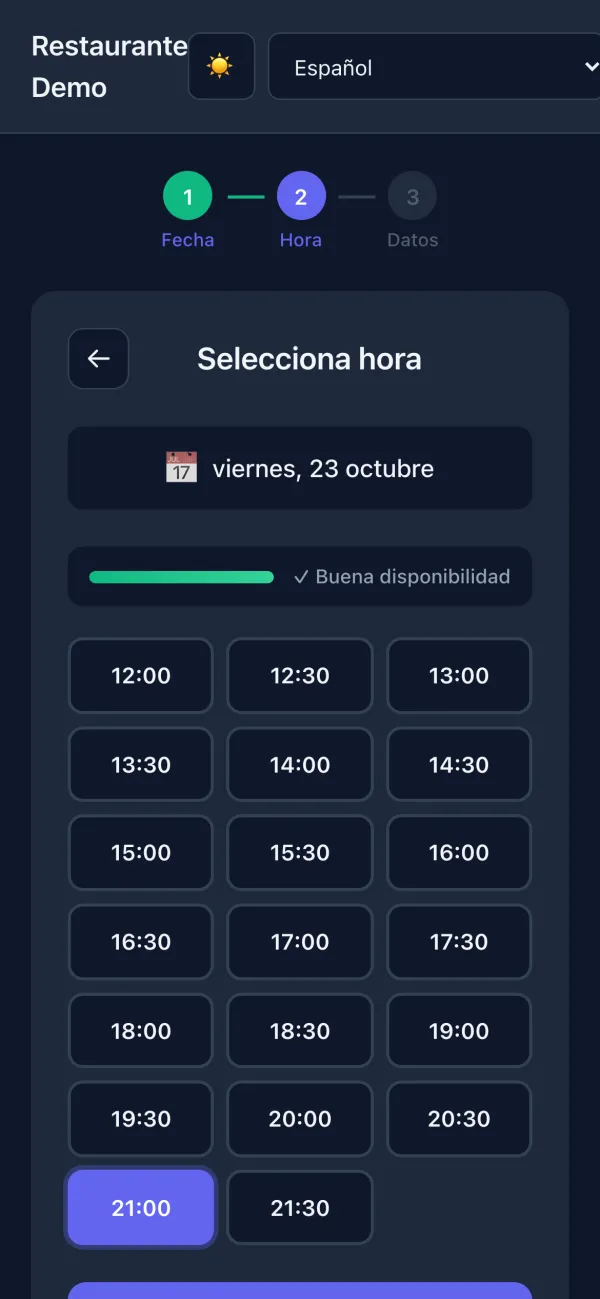
Mesero's booking form on a phone (Spanish interface): Friday 23 October, with good availability, the times from 12:00 to 21:30 and 21:00 picked.
Example
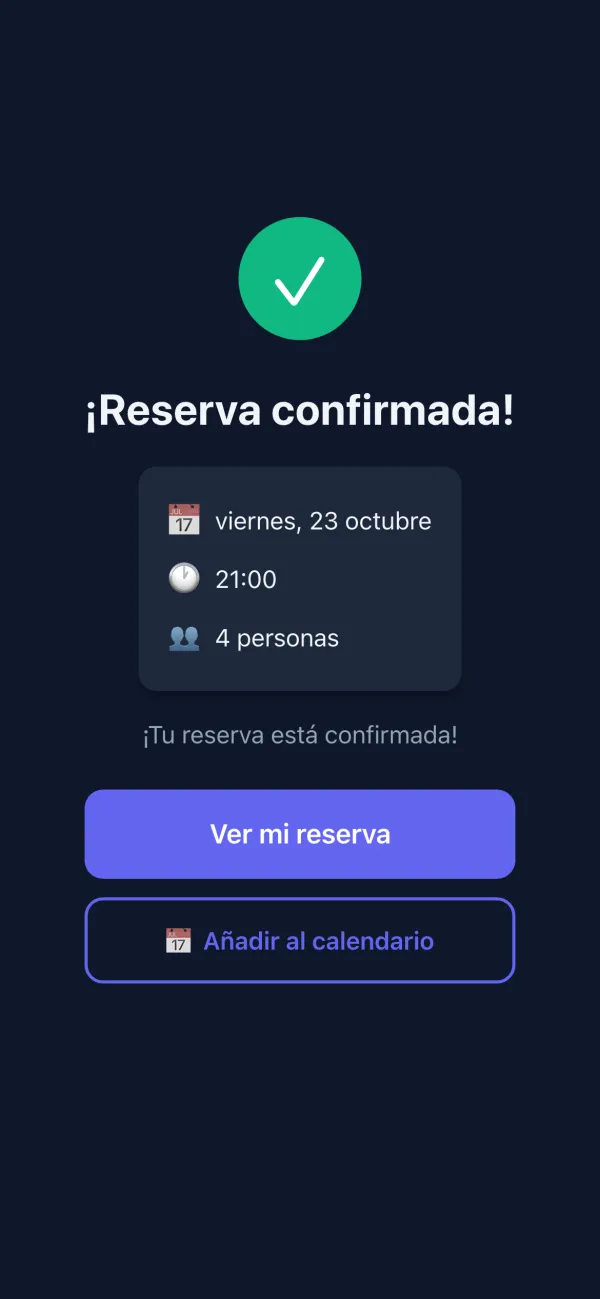
Real screens of Mesero's booking form (Spanish interface) with demo data: choosing a time and the confirmed booking; around them, examples of what happens during a service.
The public form

The booking, from the guest's phone.

Your booking link, for your website and your socials, and the same form from the QR menu: a guest eating with you today can book next week without leaving the menu. No phone calls in the middle of the rush. (Screens in Spanish.)
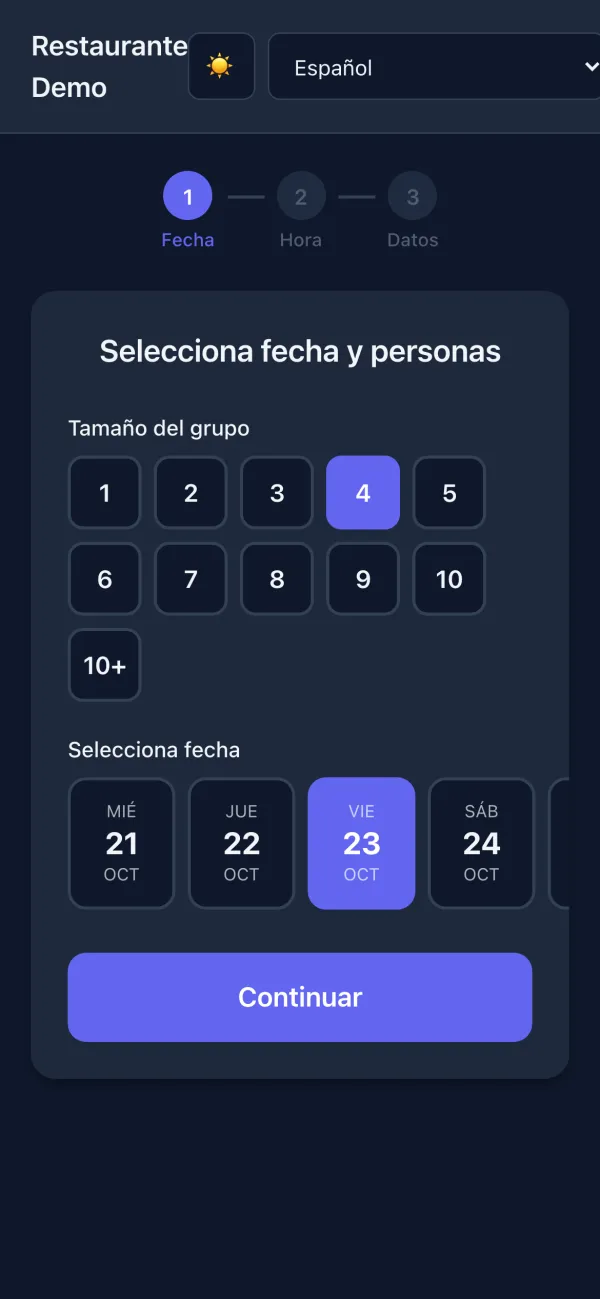
  1. Step 1 of the form: the size of the group, 4 guests, and the date, Friday 23 October.
    Date and guests. Only the days you open.
  2. Step 2: Friday's free times, every half hour, with 21:00 picked.
    The time. Only the slots really left.
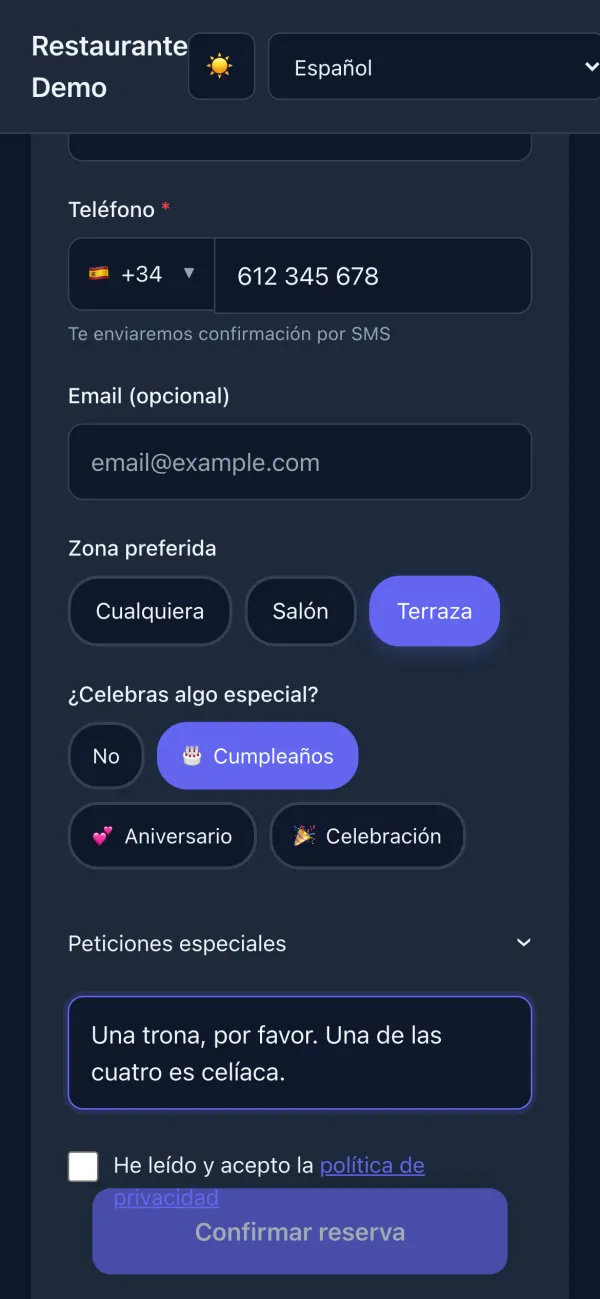
  3. Step 3: the phone number, the preferred zone, Terrace, the occasion, a birthday, and special requests.
    The details. Zone, occasion and special requests.
  4. The confirmed booking: Friday 23 October at 21:00, 4 guests, with the buttons to see the booking and add it to the calendar.
    Confirmed. With a link to see it and the date in the calendar.
Waitlist

On full nights, the queue stops being a crowd at the door.

Guests without a booking join from their phone — or you add them — wait wherever they like and get an alert when their table is ready: their tracking page updates live and alerts them with a sound, and with a browser notification if they allow it.

  • Largest group allowed in the queue (20 by default).
  • Hold time after the call: how long a guest is waited for after the alert before the next one, between 1 and 30 minutes (5 by default).
  • Call attempts: how many alerts before the group is dropped, between 1 and 5 (2 by default).
  • Your own welcome message on the public page where they join.

What service gains: people can go for a walk instead of blocking the entrance, nobody loses the group that was waiting, and the queue has an explicit rule, not the manager's memory.
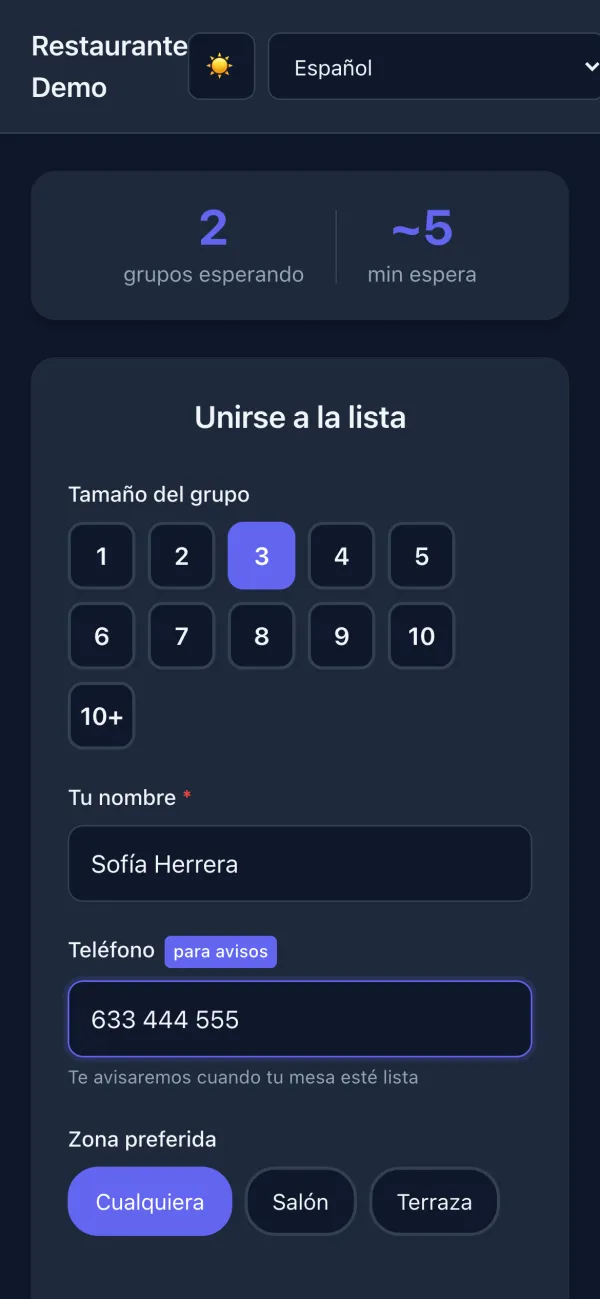
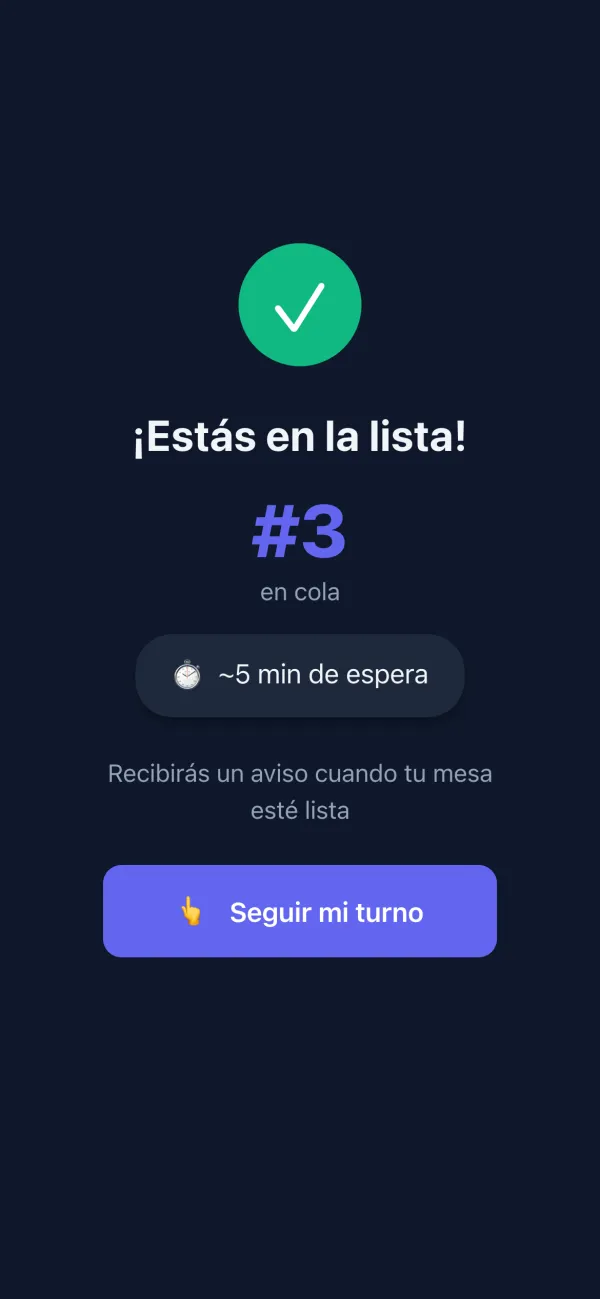
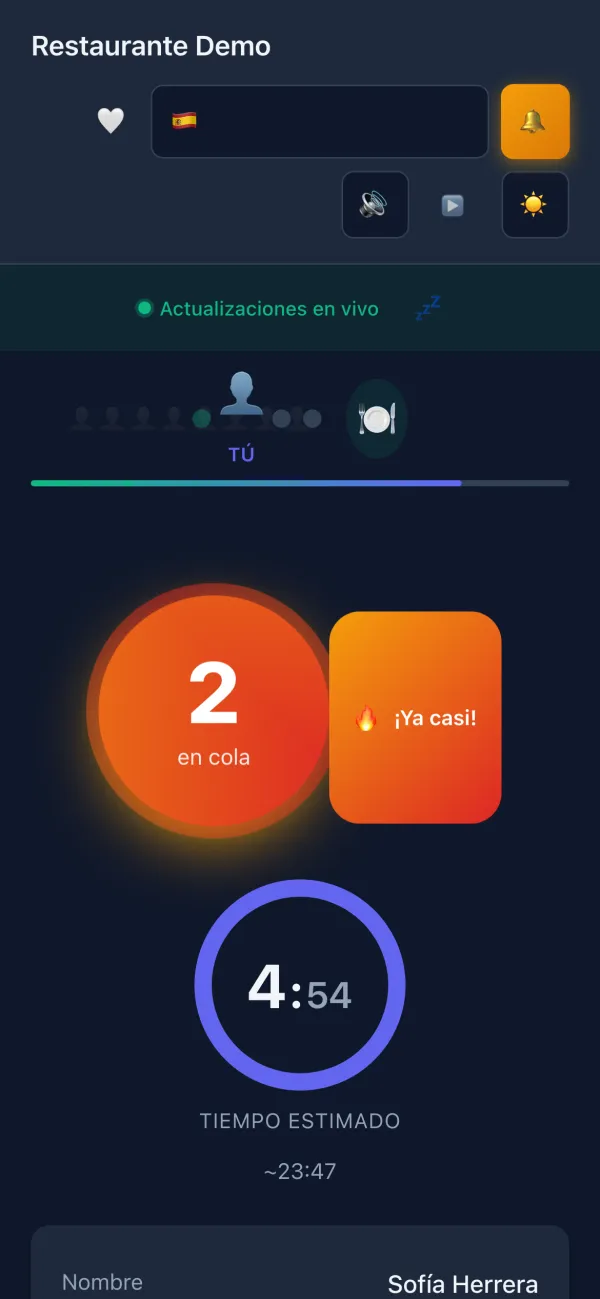
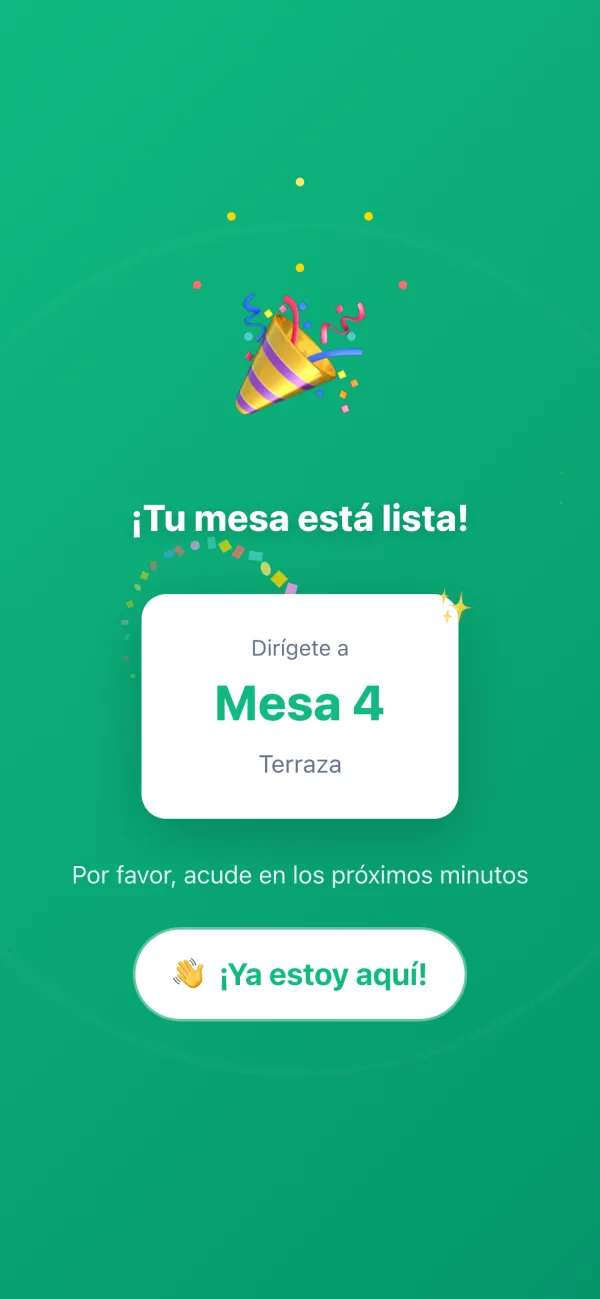
The page to join the waitlist (Spanish interface): 2 groups waiting, about 5 minutes, the group size, the name and the phone for alerts. On the list: number 3 in the queue, about 5 minutes to wait, and the button to follow the turn. The turn page, updating live: 2 in the queue, nearly there, and the estimated time. Your table is ready: go to Table 4, Terrace, with the button to say you are here.
Core value

Capturing a booking is easy. Orchestrating a floor is harder.

The problem is not taking the reservation. The problem is absorbing arrivals, cancellations, delays and walk-ins without losing pace or degrading the guest experience.

Connected bookings

The team sees more than a name and time. It sees context that affects service and the economics of the shift.

  • Fewer surprises on arrival
  • Better control of usable capacity
  • Stronger reading by slot

Useful waitlist

Waiting stops being informal and becomes part of structured front-of-house flow.

  • More order when guests arrive without tables
  • Better reallocation on the fly
  • More context for host and floor team

Service visibility

Clearer visibility on no-shows, real capacity, pacing and value by service window.

  • Better staffing decisions
  • Better control of peaks
  • Stronger guest experience
Connected to the suite

Bookings matter more when they touch floor, CRM and tickets.

A booking living in a separate tool adds limited value. A connected booking improves preparation, seating, guest recognition and shift-level reading.

With floor and POS

  • Better table assignment and service preparation
  • More continuity between host stand and floor team
  • Less friction between table state and guest arrival

With CRM and marketing

  • More defensible visit history
  • Campaigns based on real guests
  • Better reading of repeat value
Best fit

Restaurants where service quality matters as much as occupancy.

The more the guest experience depends on seating and pacing, the more it matters that bookings and waitlist live inside the same system.

Ideal for

  • Table-service restaurants with multiple turns
  • Businesses with strong weekends
  • Sites where waitlist affects pace and guest experience

Operational impact

  • Better seating control
  • Less chaos at reception
  • Stronger reading of occupancy and value by service
Next step

Make bookings and floor speak the same language.

Mesero does not try to sell bookings as a widget. It sells them as an operational layer that improves how your business receives, seats and serves guests.

  • WebDirect intakeMore control over source and pacing of demand.
  • WaitlistLess chaosWaiting no longer depends on memory and paper.
  • CRMMore contextThe team knows better who it is receiving.
  • FloorBetter pacingLess improvisation in seating and service.
90 days free No card needed
Try it

A real Mesero screen (Spanish interface), with demo data.